Internet marketing is simply promoting a business through the internet. In daily life, when we need something, we search on Google or check social media. I also do the same. Because of this reason, businesses try to show their products online so people can easily find them.
Why Internet Marketing Is Important
Internet marketing helps businesses reach people quickly. Compared to newspaper ads or banners, online marketing is cheaper and faster. Businesses can also understand customer interest by checking website visits and messages. This helps them improve their marketing little by little.
Different Ways of Doing Internet Marketing
There are many ways to do internet marketing. SEO helps websites appear on search engines. Social media marketing is useful to connect with people directly. Content marketing means writing blogs or posts that are helpful. Email marketing and online ads are also used to promote services.
How Small Businesses Benefit
Small businesses get good support from internet marketing. They don’t need a big budget to start. Even simple posts or basic SEO can bring customers. Online marketing also helps businesses grow slowly without pressure.
My Final Thoughts
Internet marketing is not difficult if we learn step by step. With practice and patience, businesses can improve their online presence. Regular effort gives better results over time.
FAQs
Can beginners learn internet marketing?
Yes, beginners can learn it easily with practice and basic guidance.
Is internet marketing useful for local businesses?
Yes, it helps local businesses reach nearby customers online.
Does internet marketing give quick results?
Some methods give fast results, but SEO takes time.
If you are new to digital marketing and want to learn from basics, choosing the right course is important. Digital Toppers offers a beginner-friendly digital marketing course that helps you understand concepts easily and apply them in real life.
This course is suitable for students, job seekers, business owners, and anyone who wants to change their career. You can learn practical digital marketing skills in just 1 month.
Course Details
Here is a quick overview of the course:
Course Name: Digital Marketing Course for Beginners
Duration: 1 Month
Mode: Online and Offline classes available
Internship: Separate (Optional)
Original Fee: ₹15,000
Offer Price: ₹12,000 (Limited-Time Offer)
This course focuses on practical skills that help you get a job, start freelancing, or grow your own business.
What You Will Learn
The course is divided into 5 easy modules. Each module is designed for beginners, so learning becomes simple and stress-free.
1. Content Creation
Content is the base of digital marketing. In this module, you will learn:
Canva Basics: How to create posters, social media posts, and short videos
AI Tools: Learn basic AI tools that help you work faster and save time
Social Media Marketing (SMM)
Social media helps businesses reach more people. Local SEO helps businesses appear in nearby searches.
In this module, you will learn:
How to manage Facebook and Instagram business pages
How to increase likes, comments, and shares
How to run Meta Ads using Meta ( Ad Centre )
You will learn both free promotion methods and paid advertising techniques.
Local SEO
Google My Business (GMB) Importance – Why GMB is crucial for local visibility
Local Business Setup – How to set up your business on Google My Business
Google Maps Pointing – Ensuring your business appears accurately on Google Maps
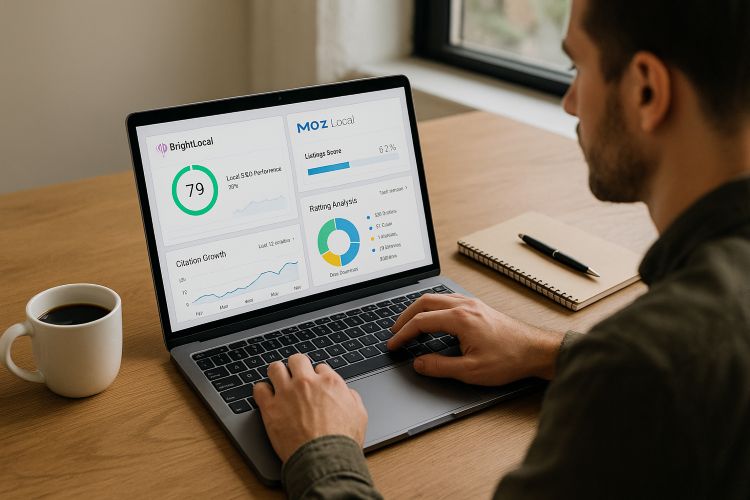
NAP Citation – Managing Name, Address, and Phone consistency across platforms
Google Ads – Smart Campaigns
Google Ads helps businesses advertise online. You will learn:
Basics of Google Ads
What are Smart Campaigns
How Google ads work
Simple ad setup knowledge
Website Building
You will learn how to create a website without coding:
Build professional websites using CMS Platform
Fully practical and easy for beginners
Search Engine Optimization (SEO)
SEO helps websites rank higher on Google. In this module, you will learn:
SEO Basics: How Google and search engines work
Website Audit: How to check and improve a website
On-Page & Technical SEO: Make websites fast and mobile-friendly
Link Building: Improve website trust and ranking
Web Analytics
This module helps you understand website performance:
Google Analytics: Track visitors and website traffic
Google Search Console: Check how your site appears on Google
Conclusion
Digital marketing is growing every day, and skilled professionals are in high demand. Learning digital marketing now can help you build a strong career, earn as a freelancer, or promote your business online.
At Digital Toppers, you will not only learn tools but also learn how to use them in real situations and get results.
1.Can beginners take this digital marketing course?
Yes. This course is specially designed for beginners. No previous experience is needed.
2.How long is the course?
The course duration is 1 month. An optional internship is available for practical experience.
3.Will I get a certificate after completing the course?
Yes. You will receive a Digital Toppers certificate after course completion.
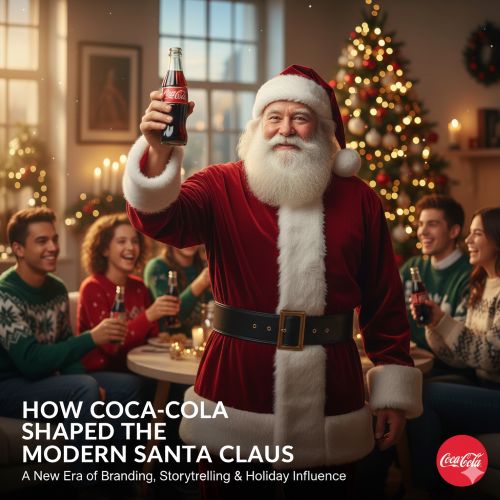
Coca-Cola is more than just a soft drink. It is a brand that knows how to connect with people’s emotions. One of its most successful ideas was the Christmas campaign featuring Santa Claus.
In the 1930s, Coca-Cola faced a major challenge: people did not prefer cold drinks during the winter season. To solve this, the brand used smart storytelling and presented Santa Claus as a warm, friendly, and joyful character, making Coca-Cola feel like a natural part of Christmas celebrations.
This post explores how Coca-Cola influenced the modern image of Santa Claus and turned a winter sales problem into a global Christmas tradition.
Who Was Santa Claus Before Coca-Cola?
Before the 1930s, Santa Claus did not have one fixed appearance.
Different Versions of Santa:
In Europe, Santa was linked to Saint Nicholas.
He appeared in: Green, Brown, Blue, and sometimes Red.
Some versions showed him as: Thin, Serious, and more religious than playful.
There was no global standard image of Santa Claus.
The Marketing Challenge Coca-Cola Faced
Problem: Coca-Cola is a cold beverage.
Low Sales: Sales dropped when the weather got cold.
Competition: People preferred hot drinks like tea or cocoa in December.
How can a cold drink brand stay relevant during the coldest months of the year?
The Big Idea: Using Santa Claus as a Brand Storyteller
Coca-Cola decided to connect its product with Christmas emotions, not weather.
They chose Santa Claus because:
Santa already symbolized joy and generosity.
Families trusted Santa.
Santa was closely linked with Christmas celebrations.
But Coca-Cola needed to make Santa feel: Warm, Friendly, Real, and Relatable.
Why Coca Cola Popularized Red and White for Santa
Instead of saying Coca-Cola changed Santa’s color, the correct explanation is: Coca Cola popularized and standardized the red-and-white Santa.
Reasons:
Red Matched Coca-Cola’s Brand Color: While red was a color used for Santa in some previous depictions, Coca-Cola’s use of a specific, vibrant red (matching their branding) and consistent, high-visibility global distribution made their version the one that stuck.
White symbolized snow and warmth.
Red-and-white created strong visual branding.
Consistent use every year made it familiar.
Over time, people began to believe this was the “real” Santa.
Cultural Timing: Used an existing festival and enhanced its imagery.
Key Takeaway:
Brands can become part of culture, not just commerce. Coca-Cola didn’t invent Santa Claus — it made the modern Santa believable through strategic visual standardization and emotional consistency.
Conclusion
Coca-Cola’s Christmas campaign is one of the greatest examples of storytelling marketing in history.
By shaping the image of Santa Claus and linking it with happiness and celebration, Coca-Cola turned a winter sales challenge into a timeless brand tradition. Even today, when people think of Santa Claus, they unknowingly picture Coca-Cola’s Santa.
👉 Explore other successful brand case studies from Digital Toppers
This case study shows how Cookd used digital marketing, good content, and social media to reach the right audience and grow fast.
1. Did Coca-Cola invent Santa Claus?
No. Santa Claus is inspired by Saint Nicholas. Coca-Cola popularized the modern red-and-white image through consistent marketing.
2. Was Santa Claus always red and white before Coca-Cola?
No. Before Coca-Cola’s Christmas campaigns in the 1930s, Santa Claus did not have a fixed color or appearance. He was shown in green, brown, blue, and sometimes red, depending on the country and artist. Coca Cola did not invent Santa Claus, but its consistent use of a red-and-white Santa in global advertising helped standardize and popularize the version we recognize today.
3. Why did Coca Cola use Santa Claus in its marketing campaigns?
Coca Cola used Santa Claus to create an emotional connection during Christmas and to promote its product during winter, a season when cold drinks usually sell less.
The world is becoming digital, and so are all businesses — startups or multinational brands. Each of them now invests a considerable amount of money in digital marketing to target and connect with their audience. When you are a student or job seeker stepping into this field, one of the first questions you may have is:
Why choose digital marketing as a career?
In this blog, you’ll discover the reasons for choosing digital marketing, explore digital marketing career opportunities, understand job growth trends, learn about high-paying digital marketing roles, and get an overview of the digital marketing job salary range in today’s market.
Why should you choose Digital Marketing as a career?
Let’s first understand why digital marketing is considered one of the best career choices right now.
Great demand – All industries require presence on the Web.
Various career options – SEO, Social Media marketing, Content marketing, Paid Ads, Analytics, Email Marketing and more.
Opportunities of growth – The industry is fast changing and provides fast career growth.
Creativity + Data – Ideal combination of creative and analytical work.
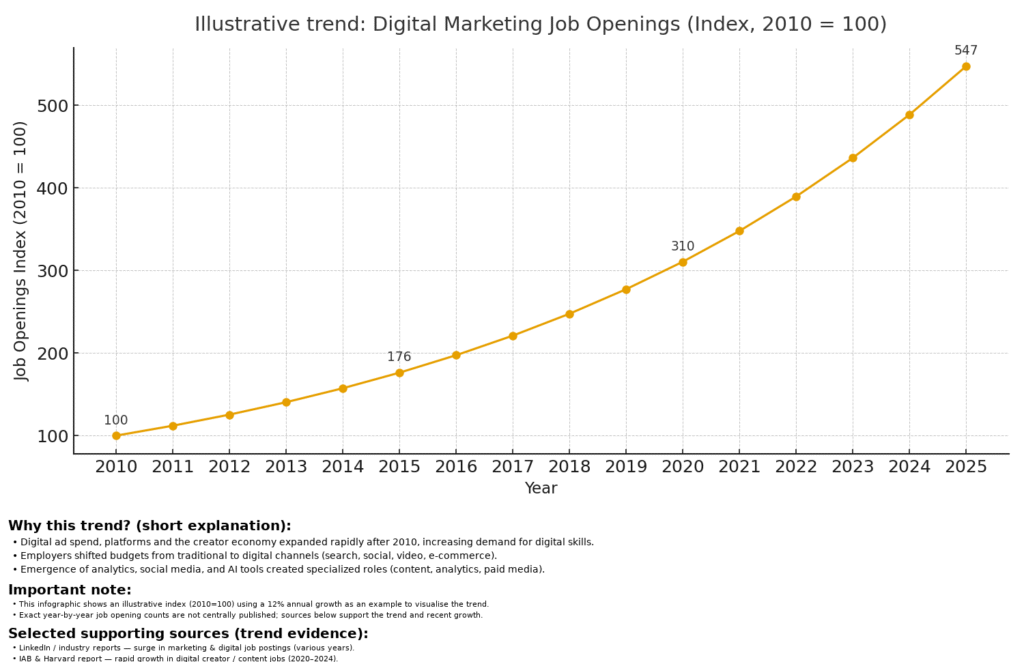
Digital Marketing Job Growth Trend (2010–2025) | Infographic
Is digital marketing a good career among the freshers?
Yes, digital marketing is an excellent career option among freshers because of the high and increasing demand, great career advancement, work flexibility with remote and freelance possibilities, and wide opportunities to work in different positions such as SEO, content marketing and social media management. Although no particular degree is needed, entry-level salaries are competitive, and freshers can take the first steps in the field with the help of available resources and certifications, which contributes to a good future of the field and high wages.
Find out why it is a good job for freshers :
Huge Demand and Expansion: The market transition that has seen businesses move online puts a perpetual need of skilled digital marketers in high demand, which promises great career prospects.
Flexibility: The sector provides a range of work models; like freelance, remote work, and agency-based jobs which allow freshers to have some flexibility.
Various Specialization: Freshers have numerous specializations, including SEO, content marketing, social media management, and email marketing, which also gives them the opportunity to find a career that fits their preferences.
Skill-Based Industry: Digital marketing is unlike many traditional career fields, as it is a skills-based industry, which allows you to become job-ready in a fairly short period to gain practical skills.
Availability: Google, Meta, and HubSpot are among the most popular internet platforms that provide learning materials as well as certifications, which means that freshers can acquire the required knowledge with ease.
How much can a fresher earn in digital marketing?
Digital Marketing Monthly Salary (Fresher to Experience).
Year(s) of Experience Monthly Salary (In Approximation)
0 – 1 year (Fresher) ₹15,000 – ₹30,000
2 – 3 years ₹35,000 – ₹60,000
4 – 6 years ₹60,000 – ₹1,20,000
7 – 10 years ₹1,50,000 – ₹2,50,000
Freshers make an average of Rs. 2,00,000/- to 30,00,000/- per annum depending on their skills, company, and city.
Career Growth in 2-3 Years:
The good news? Salaries increase at a rapid rate depending on the experience. With 2–3 years of solid work:
Salaries in the mid-level also vary between ₹6,00,000 and 10,00,000+/year.
Niche managers (such as SEO Manager, PPC Specialist or Social Media Manager) tend to surpass ₹12L+ per year.
What is the best paying digital marketing job?
The Chief Marketing Officer (CMO) in the digital marketing industry is typically the most highly paid position based on the strategic aspect of their job to ensure the online marketing strategy is executed as a whole with earnings of around 30 LPH and higher.
Other High Paying Roles
Head/Digital Marketing Director: This position is big picture oriented, where it is necessary to set strategy, manage budgets, and make major decisions regarding the digital presence of the company.
Growth Marketing Manager: These professionals focus on the rapid growth, and they create and execute the strategies that aim at acquiring the customers and increasing the base of users.
Performance Marketing Lead/Manager (PPC): The job is dedicated to pay-per-click (PPC) campaigns and fast access to target audiences as well as enhancing ad results and performance and quality scores in diverse platforms.
Factors That Affect Salary
Freshers do not all receive equally well. What makes the difference here is this:
City / Location – Metro cities such as Bengaluru, Delhi NCR and Mumbai tend to be paying higher than Tier-2 cities.
Company Type -The large agencies and MNCs are the ones who have to spend more than a small startups or local business.
Skills & Certifications – Specialist skills such as SEO, Google Ads, Facebook Ads, or Analytics are an addition to your package.
Portfolio/Experience – Internships, freelance work or live projects are a plus.
Negotiation Skills – Behaviour on interviews is also important!
Final Take away
When you consider making your entry into digital marketing, you can anticipate an initial salary ranging from 2-5 LPA, which will vary depending on your role, skills, and geographical area. With the right education and certifications, you can quickly advance and enjoy a fulfilling career in this highly desirable industry today.
Frequently Asked Questions (FAQ)
1. What is the highest paying digital marketing position to freshers?
PPC/Google Ads Specialists and SEO Executives are also commonly offered higher packages than general digital marketing executives or content writers.
2. How can i learn digital marketing?
Understand digital channels and marketing techniques. Gain practical learning experience from a digital marketing academy with industry expertise. Earn certifications from Google, HubSpot, Meta, and SEMrush.
In the current world Digital Marketing is among the most sought-after skills in the world. At the end of the 12th grade, the majority of students tend to consider conventional programs such as Engineering, Arts or Medicine. Nevertheless, Digital Marketing is currently a rapidly expanding profession that will enable you to achieve decent employment and revenues in a relatively short time.
What is Digital Marketing?
Digital Marketing refers to the act of advertising goods and services through the web in online platforms like the internet, social networks, email, and search engines. Digital Marketing, unlike in the traditional ways of marketing such as newspaper advertisements or pamphlets, aims at exploiting the digital medium to market to prospective customers.
Does Your 12th Grade Need Digital Marketing?
Digital Marketing not only provides you with an opportunity to develop your career in a short period of time, but it also has high employment prospects because any company nowadays requires an online representation.
Short-term Learning: You can master Digital Marketing within 3 months -1 year.
Earn Instantly: Earn instantly with Freelancing, Internship, or Part-time employment.
Study and Learn: You can have a Degree and Digital Marketing Course at the same time.
Career Development: You can begin with minor positions and eventually become SEO Specialist, Social Media Manager or Digital Marketing Consultant.
Good employment opportunities: They exist in startups, corporate firms and freelance markets.
High Income Potential: remuneration is dependent on skill and experience.
Career Growth: develop as a Junior Executive to a Senior Manager within a very short period of time.
Skill Development: Get acquainted with such essential skills as SEO, Social Media, Content Marketing, and Ads Management.
The Digital Marketing Modules Post 12th
Search Engine Optimization (SEO), Social Media Marketing (SMM), Pay Per Click (PPC) advertising, Email Marketing, Content Marketing, Data Analytics, Web Development and Consumer Behavior are the key skills that are taught in Digital Marketing courses.
Social Media Marketing (SMM): Advertise products and interact with audiences through such platforms as Facebook and Instagram.
Pay Per Click (PPC) Advertising: Develop paid ads on Google Ads and reach the appropriate customers.
Email Marketing (E-commerce): Create a relationship and market products or offers through emails.
Content Marketing (Affiliate Marketing): Produce attracting blogs, videos, and infographics to get and maintain customers.
Data Analytics (Quality Analytics): Measurement of campaign performance and betterment of marketing strategies: Measurement of campaigns and betterment of marketing strategies using data insights.
Web Analytics: understand the implementation of user friendly websites and the maximization of user experience.
Importance of Digital Marketing Courses:
In the modern digital era, no business can afford to operate without effective online marketing strategies that would enable it to access its audience. Learning these skills, you can be able to develop your own business, or you can be hired as a professional who works in the field of digital marketing with unlimited opportunities in the profession.
Digital Marketing and Career Opportunities Introduction.
SEO: On Page, Off Page, Technical, Keyword Research.
Content Marketing: Blogging, Copywriting, Video and Visual Content.
Social Media Marketing: LinkedIn, Instagram, Facebook, Paid Ads, YouTube.
SEM Google Ads: Search Ads, Display Ads, Remarketing, YouTube Ads.
EmailMarketing & Automation
Passive Income and affiliate Marketing.
E-commerce Marketing: Shopify, WooCommerce.
Web Analytics: Search console, Google Analytics.
Freelancing Advice: Fiverr, Upwork, Resume, and Interview Prep.
Fees:
Short-term (3–6 months): ₹20,000 – ₹40,000
Diploma (1 year): ₹50,000 – ₹80,000
Duration:
3–6 months (Short-term)
1 year (Diploma)
Note: You are able to study at home and still gain employment.
Digital Marketing Salary in India:
Experience Level
Estimated Monthly Salary
Fresher
₹10,000 – ₹20,000
1–3 Years Experience
₹20,000 – ₹40,000
3–5 Years Experience
₹40,000 – ₹70,000
5+ Years / Specialist
₹70,000 – ₹1,50,000+
Freelancers
₹5,000 – ₹2,00,000
Note: Remuneration based on talent, experience and area of work.
Who Can Learn This Course?
Students seeking employment immediately after 12th grade.
Students in college that would like to acquire another skill during their degree.
Those who may wish to work at home by way of freelancing.
The people who will be targeted are young entrepreneurs who are intending to open their own business.
Work from Home in Digital Marketing:
Description:
The use of digital Marketing can be carried out entirely on the Internet, and you can develop your career at home.
Work-from-Home Opportunities:
Social Media Management: Instagram, Facebook and LinkedIn page management.
Content Writing/ Blogging: Blogging and writing articles.
SEO (Search Engine Optimization): Placing websites in Google.
Digital Ads Management: The Google Ads and Facebook Ads management.
Email Marketing and Campaigns: Conducting promotional campaigns.
Freelancing Projects: It involves doing contract or individual projects.
Note: Digital Marketing is an ideal option for individuals who like working remotely.
Final Thoughts
Digital Marketing is an optimistic and a future-oriented field of career. The knowledge, experience, and tricks you would acquire in this field will assist you in furthering your career in a short period of time. Digital Marketing can be a stable and promising career opportunity in the contemporary generation with new possibilities, increased income, and expedited promotions.
1. Is it possible to study Digital Marketing post the 12th grade?
Yes, you don’t need a degree. It is sufficient to complete your 12th standard.
How long will the course last?
Short course lasts 3-6 months and 1 year Diploma course.
Where do I get employment opportunities?
Marketing Agencies, IT Companies, Start-ups and Freelancing sites such as Fiverr and Upwork.
What is the fee range?
It varies between 20,000-80,000 depending on the institute.
If you want your business to be discovered online, accurate business information is crucial. Whether you’re a digital marketer, SEO professional, agency, or local business owner, ensuring your details are correct across the web is essential.
NAP stands for Name, Address, and Phone number. A NAP citation is when your business’s name, address, or phone number is mentioned on another website.
Good NAP citations signal to Google and other search engines that your business is real, trustworthy, and active. This, in turn, helps improve your local search rankings.
In this guide, you will explore what NAP citations are, why they matter, how to build them correctly, and the top 50 NAP citation sites in 2025, including free options in India.
What Are NAP Citations?
A NAP citation is simply your business name, address, and phone number listed on another website. Citations help search engines verify the legitimacy of your business.
There are two main types:
Structured citations – Listings in business directories with dedicated fields for Name, Address, and Phone. Examples include Google Business Profile, Yelp, and Justdial.
Unstructured citations – Mentions of your business on blogs, news articles, social media posts, or review sites without dedicated NAP fields.
Search engines use citations to cross-check your business info. Consistent citations across the web improve your chances of ranking higher in local search results and Google Maps.
Why NAP Citations Are Important:
Rank higher locally – Google trusts businesses with accurate and consistent information.
Be found easily – Customers can locate your business on maps and online directories.
Get more calls and visits – Accurate info ensures people can contact or visit you without hassle.
Build trust – Mentions and reviews across multiple platforms increase credibility.
Using free NAP citation sites in India is especially useful for small businesses. Global platforms like Google, Bing, and Trustpilot help businesses reach international customers.
Benefits of NAP Citation Sites
Better search ranking – Google evaluates citations to verify your business.
Higher visibility – Appear more often in local searches and Google Maps.
Referral traffic – People visiting directories can click through to your website.
Cost-effective – Many free NAP citation sites in India are available for businesses.
How to do NAP Citations Correctly
Collect accurate business info – Include name, address, phone number, website, business hours, and category.
Maintain a consistent format – Use the same style and spelling for all listings.
Start with big global sites – Google, Bing, Facebook, Yelp.
Add regional or niche sites – Use free NAP citation sites in India to target local customers.
Track all listings – Maintain a spreadsheet with URLs, logins, and statuses.
Update info regularly – Any change in address, phone, or website must reflect across all citations.
Encourage customer reviews – Reviews add authority and trust signals to search engines.
Top 50 Free NAP Citation & Review Sites for Global and India Businesses:
S.NO
Site Name
Category
1
Google Business Profile
Global Essentials
2
Bing Places for Business
Global Essentials
3
Apple Maps
Global Essentials
4
Facebook
Global Essentials
5
LinkedIn
Global Essentials
6
Yelp
Global Essentials
7
Foursquare
Global Essentials
8
Yellow Pages
Global Essentials
9
MapQuest
Global Essentials
10
Trustpilot
Global Essentials
11
Hotfrog
General Directory
12
Manta
General Directory
13
MerchantCircle
General Directory
14
Brownbook.net
General Directory
15
Cylex
General Directory
16
CitySquares
General Directory
17
Local.com
General Directory
18
CallUpContact
General Directory
19
Yalwa
General Directory
20
Justdial
India-Focused
21
Sulekha
India-Focused
22
IndiaMART
India-Focused
23
TradeIndia
India-Focused
24
Mouthshut
India-Focused
25
AskLaila
India-Focused
26
Grotal
India-Focused
27
ClickIndia
India-Focused
28
Showmelocal
India-Focused
29
NearMeTrade
India-Focused
30
IndianYellowPages
India-Focused
31
TrustIndex
Reviews & Reputation
32
SiteJabber
Reviews & Reputation
33
Glassdoor
Reviews & Reputation
34
Clutch.co
Reviews & Reputation
35
GoodFirms
Reviews & Reputation
36
Feefo
Reviews & Reputation
37
ReviewCentre
Reviews & Reputation
38
Reviews.io
Reviews & Reputation
39
SiteProNews
Reviews & Reputation
40
ConsumerAffairs
Reviews & Reputation
41
Brightlocal
Reviews & Reputation
42
Better Business Bureau
Reviews & Reputation
43
G2
Reviews & Reputation
44
ConsumerAffairs
Reviews & Reputation
45
TrustRadius
Reviews & Reputation
46
Product Hunt
Reviews & Reputation
47
Reputation.com
Reviews & Reputation
48
Connect2India
Reviews & Reputation
49
HelloBiz
Reviews & Reputation
50
AskMe
Reviews & Reputation
Common Mistakes to Avoid
Using different formats for name, address, or phone number.
Creating duplicate listings on the same platform.
Ignoring verification emails from directories.
Not adding your website or business category.
Forgetting to update listings after moving or rebranding.
Conclusion
NAP citations are essential for local SEO and online credibility. Using both global directories and free NAP citation sites in India will help your business:
Be found easily online
Attract more customers
Build trust and authority
Start with top global sites, then expand to local Indian directories for maximum reach. Keep your NAP consistent, encourage reviews, and monitor your listings regularly.Consistency is key — accurate NAP citations today mean more visibility, trust, and customers tomorrow.
Did you know that millions of people use Quora every day to ask questions and get answers? Quora is not just for learning—it’s also a great place for businesses to reach new customers, build trust, and get more visitors to their websites.
On Quora, you can share your knowledge, help people solve problems, and show that your business is an expert in its field. Unlike normal ads, Quora lets you connect with people naturally by giving helpful answers.
In this guide, you will learn step by step how to use Quora for your business. We will show you how to create a professional account, answer questions well, make and manage Spaces, run ads, follow rules, and avoid getting banned. By the end, you will know how Quora can help grow your business and attract the right audience.
What is Quora?
Quora is a platform where people ask questions and others answer them. It’s like a mix of a forum and a knowledge-sharing site.
How it works:
Users ask questions.
Others post answers.
Helpful answers get upvotes.
Users follow topics they like.
Why it’s good for businesses:
Quora has over 300 million monthly users. This means your business can reach a large, targeted audience.
Why Quora is Good for Businesses
Using Quora for business has many advantages:
Increase Brand Awareness: More people will see your business.
Build Trust: Good answers show that you are an expert in your field.
Get Website Traffic: You can share links to your website in answers.
Find Leads: Connect with people who are interested in your product or service.
Engage with Your Audience: Talk to people who want advice in your area.
How to Create a Quora Business Account
A professional profile helps people trust your business.
Sign up using your business email.
Choose a clear business name or username.
Add a logo or professional picture.
Write a simple bio with your business info and website link.
Follow topics related to your industry.
Answering Questions on Quora
Find Questions: Search for questions related to your business and follow those topics.
Answer Questions Well:
Give clear and easy-to-understand answers.
Use examples or tips when possible.
Add Links Carefully: Only include links that are helpful. Don’t spam.
How to Create Spaces Properly on Quora
Quora Spaces are communities where users share and discover content on specific topics. Businesses can use Spaces to build a dedicated community around their brand.
Access Spaces: Click your profile picture and select “Spaces.”
Create a Space: Click “Create a Space,” and give it a name and description related to your brand.
Set Privacy Settings: Decide if your Space will be public or private.
Invite Members: Share the Space with your followers and ask them to join.
Post Regularly: Share helpful content and engage with members to keep the Space active.
Quora Ads for Businesses
Quora also offers ads to help businesses reach more people. With 400 million monthly visitors, ads can increase your brand’s visibility.
Steps to Launch a Quora Ad Campaign:
Set Your Goal: Choose your business objective, budget, and bidding strategy.
Target Your Audience: Use contextual, behavioral, or audience targeting.
Create Your Ad: Pick the ad format, upload your content, and add a call-to-action.
Benefit: Ads can bring more traffic and potential customers along with your regular answers.
Quora Rules You Must Follow
To keep your account safe and positive:
Avoid Spam: Don’t post irrelevant content or too many links.
Be Respectful: Engage politely and avoid offensive language.
Provide Value: Make sure your answers are helpful and informative.
Follow Guidelines: Read Quora’s policies to avoid account suspension.
How to Avoid Getting Banned
To keep your Quora account safe:
Be Real: Use your real business name and logo.
Engage Meaningfully: Give useful answers and participate in discussions.
Avoid Over-Promotion: Focus on helping users, not just selling.
Report Problems: Contact Quora support if you face any issues.
Tips for Success on Quora
Consistency is Key: Answer questions regularly.
Optimize Your Profile: Make your business profile complete and professional.
Monitor Performance: Use analytics to see how your answers and ads perform.
Stay Updated: Keep up with Quora’s rules and best practices.
Common Mistakes to Avoid
Ignoring Analytics: Not tracking results can waste opportunities.
Being Too Promotional: Only selling can drive users away.
Neglecting Engagement: Not interacting can reduce visibility.
Ignoring Guidelines: Breaking rules can get your account banned.
Conclusion
Quora is a powerful tool to grow your business. By giving helpful answers, following rules, creating Spaces properly, and being active, you can build trust, drive traffic, and connect with potential customers.
Start small: answer a few questions each week and grow your presence gradually. Using Quora for business is about helping people and building your brand at the same time.
1.How can I use Quora to promote my business?
You can promote your business on Quora by creating a professional profile, answering questions related to your niche, sharing helpful content, and adding relevant links to your website. You can also create Quora Spaces and run Quora Ads to reach a larger audience.
2.Is Quora good for small business marketing?
Yes, Quora is a great platform for small businesses. It helps increase brand awareness, build trust with potential customers, drive traffic to your website, and generate leads—all without a big advertising budget.
3.Can I add my website link in Quora answers for business promotion?
Yes, you can add your website link in Quora answers, but it should be relevant and useful to the reader. Avoid spamming links—Quora rewards helpful, informative answers, and this approach will naturally bring traffic to your website.
If you own a website, blog, or online store, you probably want more people to find it on Google. But here’s the question: how do you know what Google thinks about your website?
That’s where Google Search Console (GSC) comes in. It’s a free tool from Google that helps you understand how your website appears in search results, what keywords people use to find you, and what problems might stop your site from ranking higher. In this beginner-friendly guide, you’ll learn what Google Search Console is, why it’s important, how to set it up, its key features, and even some pro-level tips to boost your SEO.
What is Google Search Console?
Google Search Console is a free tool from Google that shows how your website performs in search results.
Think of it like a health report for your website. It tells you:
Which keywords people search to find you.
How many clicks your pages get.
If your website has errors (like broken pages or mobile issues).
Whether Google has indexed all your pages.
Difference between Google Search Console and Google Analytics:
Google Analytics shows what visitors do on your site (time spent, pages visited).
Google Search Console shows how your site performs before people click—on Google Search itself.
Both tools work best when used together.
Why is Google Search Console Important?
If you’re a beginner, you might wonder, “Do I really need it?” The answer is yes. Here’s why:
It helps you see if Google can properly find and index your website.
You can discover the keywords that bring traffic.
It alerts you about errors (like 404 pages or mobile problems).
You can track your average ranking position for different keywords.
It helps improve your overall SEO strategy.
Without GSC, you’re basically guessing how Google views your website.
How to Set Up Google Search Console for your Website
Go to the Google Search Console website.
Sign in with your Google account.
Click “Add Property”.
Choose either Domain (covers the whole site) or URL prefix (for one version like https://example.com).
Verify ownership of your site. You can do this by:
Adding a DNS record.
Uploading an HTML file.
Using Google Analytics or Tag Manager.
Once verified, add your sitemap (example: https://yoursite.com/sitemap.xml).
Done! Now GSC will start collecting data about your website.
Key Features of Google Search Console Beginners
1. Performance Report
Shows clicks, impressions, CTR (Click Through Rate), and average position.
You can check which keywords bring visitors and which pages perform best.
2. URL Inspection Tool
Enter a page URL to see if it’s indexed.
Request Google to index new or updated pages.
3. Coverage Report
See which pages are indexed or not indexed.
Fix common errors like “Submitted URL not found (404)” or “Crawled – currently not indexed.”
4. Sitemaps
Tells Google where your content is.
Make sure you submit your sitemap for faster indexing.
5. Links Report
Shows backlinks (sites linking to you).
Displays internal links within your website.
How to Use Google Search Console for SEO
Now let’s move from beginner to pro. Here’s how to actually use GSC to improve rankings:
Find high-traffic keywords: Look at the performance report → “Queries.” Focus on keywords where your site ranks between positions 8–20. These are easier to push to the top.
Boost CTR: If a page gets many impressions but low clicks, improve your title and meta description to make them more attractive.
Fix indexing errors: Regularly check the coverage report and resolve issues.
Track backlinks: Identify quality websites linking to you. Build relationships for more backlinks.
Optimize for mobile: Fix mobile usability issues to avoid losing rankings.
Common Google Search Console Errors and Fixes
Submitted URL not found (404) → Fix broken links or redirect them.
Server error (5xx) → Check your hosting/server.
Mobile usability issues → Make your site responsive.
Sitemap errors → Recheck your sitemap file and resubmit.
Most errors look scary but are easy to solve once you understand them.
Tips
Check reports weekly to spot problems early.
Compare date ranges (last 3 months vs. last 28 days) to see growth.
Use GSC with Google Analytics for a complete SEO picture.
Focus on low-hanging fruit keywords—those ranking on page 2 can move up with small improvements.
Conclusion
Google Search Console is a must-have tool for beginners who want to grow their website traffic. It helps you understand what keywords people use, spot errors, and track your SEO progress—all for free.
If you haven’t set it up yet, now is the time. Start small, check your performance, and slowly use the pro tips to rank higher in Google search.
Your website deserves to be found—let Google Search Console guide the way.
Have you ever wondered why some topics suddenly become popular while others go unnoticed? For example, one day everyone is talking about a movie, a cricket match, or a new mobile phone launch. This happens because people search for these topics on Google in huge numbers.
The good news is: you can actually see what people are searching for by using a free tool called Google Trends. Whether you are a beginner blogger, a student, a marketer, or just curious, this tool can help you discover trending topics and understand what the world is interested in. In this blog, we’ll explain what Google Trends is, how to use it step by step, and how you can benefit from it even if you’re new.
What is Google Trends?
Google Trends is a free tool by Google that shows how often people search for a particular keyword, topic, or phrase over time.
For example, if you search for “Cricket World Cup”, Google Trends will show when interest in that topic is high (like during the tournament) and when it is low (after it ends).
Think of it as a popularity tracker for searches. Instead of guessing what people like, you can use real data to see what they are interested in.
Why Use Google Trends?
Google Trends is not just for experts. Even as a beginner, it can help you in many ways:
Discover what people are searching for: You can find hot topics that people care about.
Compare keyword popularity: For example, “Tea” vs. “Coffee” – which one is more searched?
Understand seasonal trends: Topics like “Christmas shopping” or “Diwali offers” spike only during certain months.
Spot rising topics: Google shows “breakout” keywords that are growing super fast.
Use it for your purpose:
Bloggers → choose trending blog topics.
Marketers → understand customer interest.
Students → collect data for projects.
Small businesses → plan campaigns for the right time.
How to Use Google Trends for Beginners (Step by Step Guide)
Go to the website → Google Trends
Search a keyword → Type anything (e.g., “Digital Marketing”).
Understand the filters:
Location → Choose a country (India, USA, or worldwide).
Time range → Past hour, past week, past year, or even 5 years.
Category → Health, Sports, Entertainment, Business, etc.
Search type → Web, YouTube, News, Images, or Shopping.
Beginner Tip: Start with a broad keyword and then narrow down using filters.
Key Features of Google Trends
1. Interest Over Time
This graph shows how popular a keyword is.
Numbers are between 0–100 (100 = peak popularity, 0 = no interest).
Example: “Olympics” will hit 100 during the event and drop later.
2. Compare Keywords
You can compare up to 5 keywords.
Example: Search “Digital Marketing” vs. “Traditional Marketing” → see which is more popular.
Great for bloggers and businesses to decide which word to use.
3. Related Topics & Queries
Top queries → What people usually search with your keyword.
Rising queries → New trending searches (sometimes marked as “Breakout”).
Example: If you search “Mobile Phones,” a rising query might be “5G Mobile.”
4. Real-Time Search Trends
Shows trending topics right now (news, sports, celebrities, etc.).
Very useful if you want to create content around hot news.
Practical Uses of Google Trends
Blogging → Find trending topics to write about. Example: Before Valentine’s Day, searches for “gift ideas” rise.
YouTube → Spot popular searches for video content ideas.
SEO → Compare similar keywords and choose the one with higher popularity.
Business → A cake shop can check when “birthday cake delivery” is searched more in their city.
Students → Collect data for presentations and research projects.
Pro Tips
Even beginners can use these simple tricks:
Always compare 2–3 keywords before writing a blog or launching a campaign.
Use location filters for local SEO (example: “best gym near me” in Chennai).
Check “Rising” queries for future trends.
Combine Google Trends with other tools like Google Keyword Planner for more accurate results.
Limitations
While useful, Google Trends has a few limitations you should know:
It shows relative popularity (not exact search numbers).
Low-volume or niche keywords may not show much data.
It works best for broad and popular topics
Final Thoughts
Google Trends is one of the simplest and most powerful free tools available for beginners. Whether you’re a blogger looking for fresh ideas, a marketer trying to understand your audience, or a student preparing a project, Google Trends can make your work easier.
Start small: search one keyword, explore the graphs, and compare a few terms. Over time, you’ll see how this tool can guide you in choosing the right content and topics at the right time.
So, instead of guessing what people want, use Google Trends to know it!
1. How Does Google Trends Work?
Google Trends works by analyzing the popularity of search queries on Google over time. It shows you which topics are trending, how interest changes, and helps you spot seasonal patterns.
2. How to Use Google Trends for YouTube?
To use Google Trends for YouTube, select the “YouTube Search” option in the filters. This helps you find trending video topics, popular keywords, and ideas for content that viewers are actively searching for.
3. How to Find a Niche Using Google Trends?
You can find a niche by searching broad topics and analyzing related queries and rising searches. Look for consistent interest or “breakout” keywords to identify a profitable and trending niche.
4. Is Google Trends Free to Use?
Yes, Google Trends is completely free. Anyone can access it online without a subscription, making it a powerful tool for bloggers, marketers, and businesses.
5. கூகுள் ட்ரெண்ட் ஸ்கோர் என்றால் என்ன?
கூகுள் ட்ரெண்ட் ஸ்கோர் 0 முதல் 100 வரை இருக்கும் மற்றும் ஒரு தலைப்பின் தொடர்பான தேடல் ஆர்வத்தை பிரதிபலிக்கிறது. 100 என்ற மதிப்பு அதற்கு உச்சப் பிரபலத்தைக் குறிக்கிறது, 0 என்றால் மிகக் குறைந்த அல்லது எந்த ஆர்வமும் இல்லாததை குறிக்கும்.
How to prepare for a job? That’s the question every fresher and job seeker asks when stepping into today’s competitive market. Getting a job today is more competitive than ever. To stand out, you need to understand the job funnel — a step-by-step process that takes you from job search to interviews and finally to landing the offer.
Most freshers start with only a degree. But here’s the truth: the first question in almost every interview will be:
“What skills do you have?”
If your answer isn’t strong, it’s time to enhance your skills through professional courses or specialized training. This is the first step in the job funnel.
The next question you’ll face is:
“Do you have any experience?”
Freshers with internship experience are in high demand because internships demonstrate that you can apply your skills to real-world projects, making you job-ready.
Steps to Build Your Job Funnel
1.Sharpen Your Skills:
Take online or offline courses in your domain.
Learn digital, technical, or soft skills relevant to your field.
2.Gain Internship Experience
Apply your skills in real projects through internships or freelance work.
Even short-term internships help you answer experience-related questions confidently.
3.Prepare for Interviews
Practice common interview questions.
Build confidence in presenting your skills and achievements.
Following this approach creates a strong job funnel, giving you an edge in a competitive market.
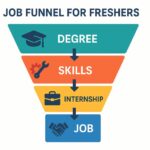
Job Funnel Breakdown
Degree – Foundation
A degree is the basic requirement for most jobs, but it’s no longer enough on its own.
Learn Skills – Differentiator
Employers expect practical skills that show you can perform from day one.
Internship – Real Experience
Hands-on experience prepares you for real-world challenges and helps you confidently answer interview questions.
Land Job – Goal
When you combine a degree, skills, and internship experience, you become a standout candidate.
Why This Funnel Works
It matches recruiters’ real expectations.
It reduces rejection by bridging the skills gap and experience gap.
It provides a clear roadmap for freshers and job seekers.
Conclusion
Landing a job today requires more than just academic qualifications. By mastering the job funnel — enhancing your skills, gaining internship experience, and preparing thoroughly for interviews — you position yourself as a strong candidate in a competitive job market. Start building your skills and experience today, and turn your dream job into reality!
If you want to develop your knowledge in digital marketing and gain industry-based practical skills, visit Digital Toppers today and start building your career the smart way!
1. Do I need a degree to get a job?
A degree is still a basic requirement for most jobs, but it’s not enough alone. Practical skills and experience make you stand out.
2. How can freshers gain experience without a full-time job?
Internships, live projects, volunteering, and freelance work are excellent ways to gain real-world experience and strengthen your resume.
3. Which skills are most important for freshers today?
Digital skills, technical expertise, communication, and problem-solving skills are highly valued across industries.