
How to increase traffic on website through SEO

Tamil businessman frustrated with slow website loading affecting traffic and sales performance

Slow Website is Killing Your Traffic: Here’s How to Fix It

Let me ask you something.

When was the last time you waited 10 seconds for a website to load?

Exactly.

You didn’t.

You closed it.

Now imagine someone doing the same to your website.

That’s why website speed isn’t just a technical issue. It’s a business issue. It affects your SEO, your conversions, your brand image, and most importantly—your users’ patience.

Let’s break this down in a simple, practical, real-world way.

Why Website Speed Matters More Than You Think

1. Because Google Is Watching

Search engines like Google consider page speed a ranking factor. If your website is slow, it’s harder to rank — even if your content is good.

After the Core Web Vitals update, speed became even more important.

So yes, speed affects SEO directly.

2. People Are Impatient (Including Us)

We expect everything instantly:

If your site takes more than 3 seconds to load, many users simply leave.

Not because they hate you.
But because they don’t want to wait.

3. Slow Website = Lost Money

This is the part most businesses ignore.

A slow website means the following:

  • Fewer leads
  • Fewer sales
  • Lower trust
  • Higher bounce rate

Even a 1-second delay can reduce conversions. That’s real revenue disappearing quietly.

How to Actually Improve Website Speed

No complicated tech talk. Just practical steps.

Step 1: Check Your Speed First

Before fixing anything, measure it.

Use tools like:

  • Google PageSpeed Insights
  • GTmetrix

They’ll show:

  • Load time
  • Performance score
  • What’s slowing your site

Don’t panic if the score isn’t perfect. Focus on the recommendations.

Step 2: Fix Your Images (Biggest Problem 90% of Websites Have)

Here’s the truth.

Most websites are slow because of oversized images.

Uploading a 5MB image for a small banner? That’s killing your speed.

What you should do:

  • Compress images before uploading
  • Resize them properly
  • Use modern formats like WebP
  • Avoid uploading raw camera photos directly

This alone can dramatically improve loading time.

Step 3: Use Caching

Think of caching like memory.

Instead of loading your entire website from scratch every time, parts of it are stored temporarily so it loads faster for repeat visitors.

If you’re using WordPress, there are simple caching plugins that handle this easily.

Step 4: Reduce Unnecessary Plugins

More plugins = more scripts = more load time.

Ask yourself:

  • Do I really need this plugin?
  • Is it adding real value?
  • Can I remove it?

Minimal websites usually perform better.

Step 5: Get Better Hosting

Sometimes the problem isn’t your website.

It’s your hosting.

Cheap hosting often means the following:

  • Shared servers
  • Slow response time
  • Frequent downtime

If your website is important for business, good hosting is an investment — not an expense.

Step 6: Use a CDN

A Content Delivery Network (CDN) stores your website on multiple servers worldwide.

So if someone visits from Chennai, they don’t load your site from a server in another country.

Services like Cloudflare help reduce loading time significantly.

Step 7: Enable Lazy Loading

Lazy loading means images and videos load only when the user scrolls down to them.

This improves initial page speed instantly.

Most modern themes support this feature.

Step 8: Clean Up Your Code

Extra CSS, JavaScript, unused code — all of this slows things down.

Minifying files removes unnecessary spaces and makes them smaller.

Smaller files load faster.

Simple logic.

Step 9: Optimize for Mobile

Most users visit from mobile devices.

And mobile networks aren’t always fast.

Test your website on:

  • Slower internet
  • Different phones
  • Real-world conditions

Mobile speed matters more than desktop speed now.

Common Mistakes That Slow Down Websites

Let’s be honest. These are very common:

  • Too many animations
  • Autoplay videos
  • Heavy themes
  • Too many fonts
  • Too many tracking codes
  • Poor-quality plugins

Just because something looks “fancy” doesn’t mean it’s good.

Simple, clean websites often perform the best.

Conclusion

Website speed optimization is not about getting a perfect 100 score.

It’s about:

  • Giving users a smooth experience
  • Ranking better on search engines
  • Increasing conversions
  • Building trust

If your website feels fast, people stay.

If people stay, they explore.

If they explore, they convert.

That’s how speed quietly grows your business.

Start small:

  • Fix your images.
  • Add caching.
  • Remove unnecessary plugins.

You’ll see the difference.

Slow Website is Killing Your Traffic: Here’s How to Fix It Read More »

Website Traffic Blog

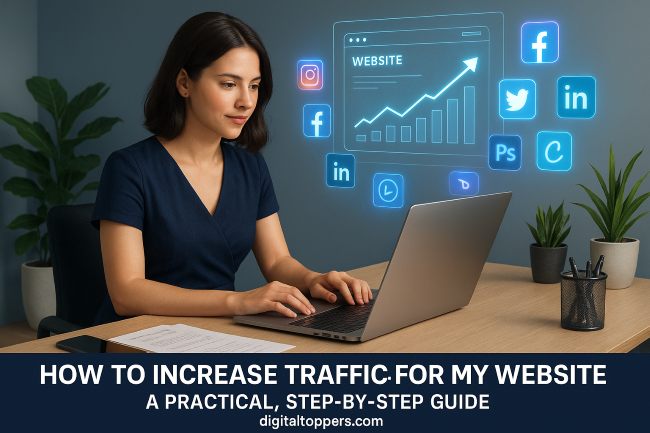
5 Ways to Increase Traffic for Your Website: A Practical, Step-by-Step Guide

Digital Toppers publishes a guide about how to increase website traffic

Attract more traffic to your website

In an increasingly connected world, your website isn’t just a digital brochure—it’s your most powerful marketing asset. Whether you run an eCommerce store, local business, or personal blog, website traffic is the lifeblood of your online success.

But here’s the harsh reality: 90% of websites get little to no traffic due to a lack of consistent strategy.

The good news? This guide reveals five battle-tested strategies used by top marketers to 10X website visitors—with or without a large budget.

Quick Summary:

  • SEO – Free, high-converting traffic through optimization
  • Social Media – Platform-specific hacks to grow organically
  • Backlinks – Build authority with scalable strategies
  • Paid Ads – ROI-driven campaigns for fast scaling
  • Local SEO – Win local searches and dominate maps

1. Search Engine Optimization (SEO): Your Long-Term Traffic Engine

Why SEO Matters

With over 8.5 billion searches per day on Google, optimizing your site helps you attract free, targeted organic traffic that converts better than ads.

SEO Action Plan

A. Advanced Keyword Research

  • Use Ahrefs or SEMrush for competitor and gap analysis
  • Target long-tail, low-competition keywords with question intent
    • “How to fix [problem] without [common solution]”
    • “[Product] vs [Competitor]: Which is better for [use case]?”

B. Technical SEO

  • Fix crawl errors (Screaming Frog)
  • Add schema markup for rich snippets
  • Optimize Core Web Vitals (LCP, FID, CLS)

C. Content Optimization

  • Use TF-IDF to cover related topics
  • Structure articles with the Problem–Agitate–Solve framework
  • Embed videos, infographics, or tools to boost dwell time

Pro Tip: Create cornerstone content (5,000+ words) and internally link from supporting posts.

2. Social Media Dominance: Go Beyond Just Posting

Why Organic Social is Broken—and How to Fix It

Platforms now reward engagement, not follower counts. Algorithm-friendly content wins.

Platform-Specific Strategies

Instagram & TikTok

  • Post short-form Reels/Stories with hidden captions
  • Use Linktree or Taplink to consolidate links
  • Join engagement pods for post boosting

LinkedIn (B2B Goldmine)

  • Publish carousel PDFs with story-driven text
  • Engage early on influencer posts
  • Prefer document posts over images for reach

Twitter/X Hacks

  • Speak in relevant Twitter Spaces
  • Use hooks like “Bookmark this →”
  • Schedule with TweetHunter (5–7 tweets/day)

Case Study: A SaaS firm boosted LinkedIn traffic by 427% in 3 months using weekly document posts.

3. The Backlink Blueprint: Authority in 2024

Why Backlinks Still Matter

After Google’s Helpful Content Update, quality backlinks are more important than ever for domain authority and search rankings.

Link Building Tactics

A. Skyscraper Technique 2.0

  • Find top-performing content in your niche
  • Create something 10X better
  • Send personalized outreach videos via Loom

B. Modern Digital PR

Warning: Avoid private blog networks (PBNs) and spammy links—Google is cracking down.

4. Paid Traffic Mastery: Scaling with Precision

The Truth About Ads in 2025

Lazy ads don’t work. You need creative frameworks and micro-targeting for scalable paid traffic.

Advanced Paid Ad Strategy

A. The 3-Tier Ad Framework

  1. Top of Funnel: 6–15 sec video ads for awareness
  2. Middle Funnel: Carousel ads solving key pain points
  3. Bottom Funnel: Direct calls to action (demos, webinars)

B. Remarketing Secrets

  • Segment retargeting audiences (30, 60, 90 days)
  • Tell customer stories in retargeting creatives
  • Use server-side tracking for accuracy

C. Alternative Paid Channels

  • Reddit Ads: Niche subreddit targeting
  • Quora Ads: Intent-based questions
  • Podcast sponsorships with affiliate-style promos

Budget Hack: Start small with $5/day for cold and $20/day for retargeting.

5. Local SEO Domination: GBP Optimization

Why Google Business Profile is Crucial

93% of local intent searches lead to action within 5 miles. Your Google Business Profile (GBP) is often the first impression.

GBP Optimization Checklist

A. Profile Setup

  • List services + pricing
  • Add booking/reservation links
  • Use local keyword-rich descriptions

B. Review Strategy

  • Send SMS review requests
  • Respond to reviews with short videos
  • Highlight positive testimonials in GBP posts

C. Localized Content

  • “Best [Service] in [City]” guides
  • Introduce team members
  • Run geo-tagged contests or giveaways

Pro Tip: Use local schema markup to appear in “near me” searches.

Traffic Conversion: Visitors → Customers

Boost Your Conversions
  • Show popups based on traffic source
  • Add chatbots/AI assistants for live help
  • Use 2-step opt-ins to offer lead magnets
Track Key Metrics
  • Scroll Depth (e.g., via Hotjar)
  • Micro-conversions (tool clicks, video plays)
  • Google Search Console CTR (click-through ratio)

Final Thoughts: Your Action Plan

To drive consistent and scalable website traffic, start by laying a solid foundation. In the first three months, focus on fixing technical SEO issues, publishing three cornerstone content pieces, building at least ten high-quality backlinks, and launching basic paid advertising campaigns to test performance. As you move into months four through six, shift your focus to scaling content production, expanding your link-building outreach, refining your ad creatives based on real data, and optimizing your local SEO efforts to dominate local search results. With consistent execution, these strategies will begin to compound—bringing in more qualified visitors, boosting brand visibility, and ultimately driving long-term growth for your website.

🚀 Ready to Take Your Website Traffic to the Next Level?

Join Digital Toppers—one of the leading digital marketing training institutes—and gain practical, hands-on skills to:

✅ Master SEO tools and techniques
✅ Create content strategies that convert
✅ Drive traffic through both organic and paid channels
✅ Launch marketing campaigns that deliver measurable results

👉 Enroll today and start turning your website visitors into loyal customers.

Also Read – How to Increase Your Instagram Followers Organically in 2025

5 Ways to Increase Traffic for Your Website: A Practical, Step-by-Step Guide Read More »

Scroll to Top