AI Tools

13 AI prompts for seasonal and festival poster designs for businesses

13 AI PROMPTS TO DESIGN ATTRACTIVE SEASONAL & FESTIVAL POSTERS FOR ANY BUSINESS

13 AI PROMPTS TO DESIGN ATTRACTIVE SEASONAL & FESTIVAL POSTERS FOR ANY BUSINESS

Make Every Occasion Special with an Eye-Catching AI Generated Poster. Festivals and seasonal celebrations are not just special occasions on the calendar, they are also opportunities for businesses to bond with customers, build stronger relationships and keep their brand alive on social media. Whether you are wishing your audience a Happy New Year, celebrating Diwali or honouring Women’s Day, a well-designed festival poster can make your brand feel more personal and memorable.

Companies today don’t need to be design experts to make great festival creatives. With AI tools like ChatGPT and image generators, you can generate great poster ideas and designs in minutes. Simply provide the right prompt, customize it with your brand details, and you’ll have a professional-looking social media post ready to publish.

In this blog, we’ve compiled 13 ready-to-use AI prompts for creating beautiful seasonal and festival posters that work for any business, including retail stores, restaurants, salons, hospitals, educational institutions, real estate companies, fitness centers, digital marketing agencies, and more.

1. New Year Wishes Poster

Create a classy gold, black and white New Year wishes poster for [Business Name] in high-end, contemporary and festive shades in 1080 x 1080 px (1:1 square format). [Logo] should be placed at the top of the page. Luxurious typography with fireworks, glitter effects, confetti and celebratory elements with the headline ‘Happy New Year 2027’. Add a nice note: “Wishing you happiness, success and prosperity in the coming year. “Thanks for being part of our story.” Neatly add [Website / Phone Number / Social Media] at the bottom. Upscale, professional, social media poster style

2. Christmas Wishes Poster

Create a modern, premium and festive Christmas wishes poster for [Business Name] in elegant red, green, gold and white colour theme in 1080×1080 px (1:1 square format). Prominently display [Logo] at the top. Make use of luxurious typography with snowflakes, Christmas lights, glitter effects, gift boxes, Christmas ornaments, festive celebratory elements. Merry Christmas. Add a warm message: “Wishing you joy, peace, happiness and prosperity this holiday season. Thank you for joining us on our journey.  seamlessly below [Website / Phone Number / Social Media] professional, social media poster style high-end.

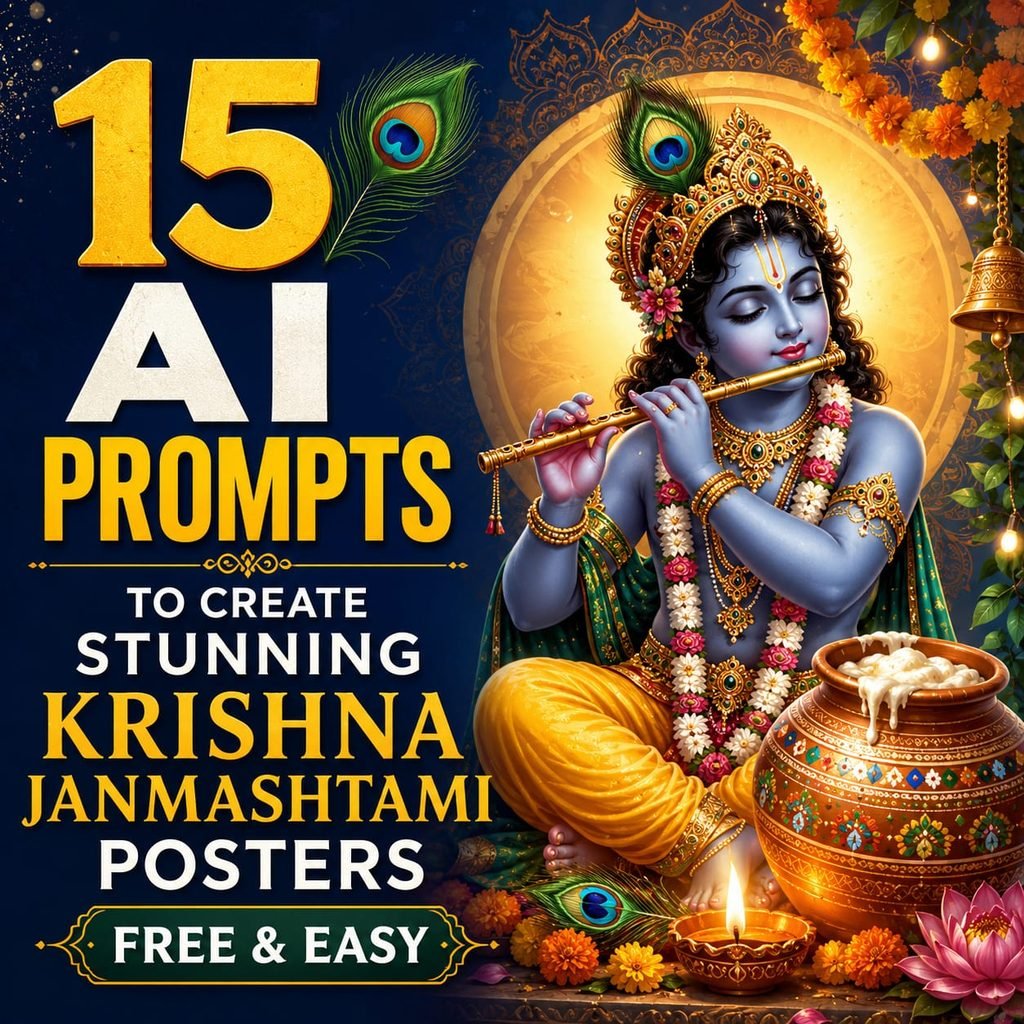
3. Diwali Wishes Poster

Design an elegant, modern and festive Diwali wishes poster for [Business Name] using classy gold, dark maroon, royal orange and white colours in 1080 × 1080 px (1:1 square format). Place the [Logo] high at the top. . Happy Diwali Happy Diwali with glowing diya lamps, rangoli designs, firecrackers, sparkles, golden lights, lanterns, marigold flowers, and luxurious typography. party elements festive. Wishing you a festival filled with light, joy, prosperity and endless happiness. Thank you for being part of our journey. Neatly add [Website / Phone Number / Social Media] at the bottom. Professional, high-end, social media poster style.

4. Pongal Wishes Poster

Make a high-end, modern and celebratory Pongal wishes poster for [Business Name] in elegant gold, rich maroon, regal orange and white colours in 1080 x 1080 px (1:1 square format). Put the [Logo] at the top. Lead with the headline **Happy Pongal** in luxurious typography with traditional Pongal festive elements including decorated Pongal pots with overflowing sweet Pongal, sugarcane stalks, colourful kolam (rangoli) patterns, kuthu vilakku (traditional lamps), marigold flowers, banana leaves, harvest grains, kites, festive sparkles, warm golden lights, cultural celebratory decorations. Include a warm message: “Wishing you a Pongal filled with happiness, prosperity, abundance, and joyful moments. Thank you for being part of our journey.” Add [Website / Phone Number / Social Media] neatly at the bottom. High-end, professional, premium social media poster style with a modern festive look, rich textures, glowing lighting effects, elegant composition, and luxury branding aesthetics.

5. Independence Day Poster

Create a modern and patriotic Independence Day wishes poster for [Business Name]. Use elegant saffron, deep navy blue, rich green, white, and subtle gold colors in 1080 × 1080 px (1:1 square format). Display the [Logo] prominently at the top. Feature the headline “Happy Independence Day” in attractive typography with festive elements. Include the Indian national flag flowing gracefully, Ashoka Chakra motifs, tricolor ribbons, flying kites, balloons, cultural silhouettes, sparkles, outlines of India, festive lights, floral decorations, and other national-themed elements. Add a warm message: “Wishing you a proud and joyful Independence Day filled with freedom, unity, success, and endless possibilities. Thank you for being part of our journey.” Neatly include [Website / Phone Number / Social Media] at the bottom. Aim for a high-end, professional, and modern poster style. Make sure it has rich textures, glowing lighting effects, elegant composition, and a luxury branding look.

6. Republic Day Poster

Create a modern and patriotic Republic Day wishes poster for [Business Name]. Use elegant saffron, deep navy blue, rich green, white, and gold colors in 1080 × 1080 px (1:1 square format). Display the [Logo] prominently at the top. Feature the headline “Happy Republic Day” in attractive typography with patriotic elements. Include the Indian national flag, Ashoka Chakra designs, constitutional motifs, India Gate silhouette, floral decorations, tricolor ribbons, cultural heritage symbols, flying kites, sparkles, warm glowing lights, and festive decorations. Add a warm message: “Wishing you a Republic Day filled with pride, unity, prosperity, and inspiring moments. Thank you for being part of our journey.” Neatly include [Website / Phone Number / Social Media] at the bottom. Aim for a high-end, professional, and modern poster style. Make sure it has rich textures, glowing lighting effects, elegant composition, and a luxury branding look.

7. Women’s Day Poster

Create a modern and elegant Women’s Day wishes poster for [Business Name]. Use luxurious shades of royal purple, rose pink, gold, white, and soft blush colors in 1080 × 1080 px (1:1 square format). Display the [Logo] prominently at the top. Feature the headline “Happy Women’s Day” in attractive typography with celebratory elements. Include floral arrangements, blooming roses, butterflies, graceful feminine silhouettes, sparkling lights, abstract artistic patterns, soft glowing effects, empowering decorations, and premium aesthetics. Add a warm message: “Wishing all incredible women strength, happiness, success, and endless inspiration. Thank you for being part of our journey.” Neatly include [Website / Phone Number / Social Media] at the bottom. Aim for a high-end, professional, and modern poster style. Make sure it has rich textures, glowing lighting effects, elegant composition, and a luxury branding look. 

8. Mother’s Day Poster

Create a modern and heartwarming Mother’s Day wishes poster for [Business Name]. Use elegant blush pink, warm gold, soft cream, white, and rose tones in 1080 × 1080 px (1:1 square format). Display the [Logo] prominently at the top. Feature the headline “Happy Mother’s Day” in attractive typography with loving elements. Include mother-and-child silhouettes, blooming flowers, hearts, butterflies, floral wreaths, sparkles, warm glowing lights, delicate patterns, and emotional aesthetics. Add a warm message: “Wishing all wonderful mothers a day filled with love, happiness, appreciation, and beautiful moments. Thank you for being part of our journey.” Neatly include [Website / Phone Number / Social Media] at the bottom. Aim for a high-end, professional, and modern poster style. Make sure it has rich textures, glowing lighting effects, elegant composition, and a luxury branding look.

9. Father’s Day Poster

Create a modern and heartwarming Father’s Day wishes poster for [Business Name]. Use elegant royal blue, deep navy, gold, white, and warm earthy tones in 1080 × 1080 px (1:1 square format). Display the [Logo] prominently at the top. Feature the headline “Happy Father’s Day” in attractive typography with emotional elements. Include father-and-child silhouettes, elegant patterns, stars, subtle hearts, meaningful family elements, warm glowing lights, festive sparkles, stylish accents, and premium aesthetics. Add a warm message: “Wishing all wonderful fathers a day filled with love, happiness, strength, and memorable moments. Thank you for being part of our journey.” Neatly include [Website / Phone Number / Social Media] at the bottom. Aim for a high-end, professional, and modern poster style. Make sure it has rich textures, glowing lighting effects, elegant composition, and a luxury branding look. 

10. Valentine’s Day Poster

Create a modern and romantic Valentine’s Day wishes poster for [Business Name]. Use elegant crimson red, rose pink, gold, white, and soft blush tones in 1080 × 1080 px (1:1 square format). Display the [Logo] prominently at the top. Feature the headline “Happy Valentine’s Day” in attractive typography with romantic elements. Include hearts, roses, floral decorations, glowing candles, butterflies, elegant ribbons, sparkling lights, romantic patterns, floating petals, and premium love-themed aesthetics. Add a warm message: “Wishing you a Valentine’s Day filled with love, happiness, beautiful moments, and unforgettable memories. Thank you for being part of our journey.” Neatly include [Website / Phone Number / Social Media] at the bottom. Aim for a high-end, professional, and modern poster style. Make sure it has rich textures, glowing lighting effects, elegant composition, and a luxury branding look. 

11. Eid Wishes Poster

Create a modern and festive Eid wishes poster for [Business Name]. Use elegant emerald green, royal gold, white, deep navy, and warm lantern glow colors in 1080 × 1080 px (1:1 square format). Display the [Logo] prominently at the top. Feature the headline “Eid Mubarak” in attractive typography with traditional elements. Include crescent moons, mosque silhouettes, lanterns, stars, Islamic patterns, floral decorations, glowing lights, festive sparkles, moonlit effects, and elegant decorations. Add a warm message: “Wishing you and your family an Eid filled with happiness, peace, prosperity, and joyful moments. Thank you for being part of our journey.” Neatly include [Website / Phone Number / Social Media] at the bottom. Aim for a high-end, professional, and modern poster style. Make sure it has rich textures, glowing lighting effects, elegant composition, and a luxury branding look.

12. Onam Wishes Poster

Create a modern and festive Onam wishes poster for [Business Name]. Use elegant gold, traditional cream, royal green, deep maroon, and white colors in 1080 × 1080 px (1:1 square format). Display the [Logo] prominently at the top. Feature the headline “Happy Onam” in attractive typography with traditional festive elements. Include Pookalam (floral rangoli), King Mahabali illustrations, Vallam Kali snake boats, coconut leaves, traditional lamps, marigold flowers, festive sparkles, banana leaves, harvest elements, warm glowing lights, and cultural decorations. Add a warm message: “Wishing you an Onam filled with happiness, prosperity, abundance, and joyful moments. Thank you for being part of our journey.” Neatly include [Website / Phone Number / Social Media] at the bottom. Aim for a high-end, professional, and modern poster style. Make sure it has rich textures, glowing lighting effects, elegant composition, and a luxury branding look.

13. Ganesh Chaturthi Wishes Poster

Create a modern and festive Ganesh Chaturthi wishes poster for [Business Name] using elegant saffron, royal orange, gold, deep maroon, and white colors in a 1080 × 1080 px square format. Display the [Logo] prominently at the top. Feature the headline “Happy Ganesh Chaturthi” in stylish typography, along with traditional festive elements such as Lord Ganesha artwork, lotus flowers, modaks, decorative mandala patterns, marigold garlands, diyas, festive sparkles, sacred motifs, glowing lights, and cultural decorations. Include a warm message: “Wishing you a Ganesh Chaturthi filled with happiness, wisdom, prosperity, and joyful moments. Thank you for being part of our journey.” Add [Website / Phone Number / Social Media] neatly at the bottom. Aim for a professional and upscale social media poster style with a modern festive look, rich textures, glowing lighting effects, elegant composition, and luxury branding. 

Conclusion

Seasonal and festival posters are one of the simplest ways to engage your audience and strengthen your brand presence throughout the year. Whether you’re celebrating national holidays, cultural festivals, or special occasions, well-designed festive posts help your business stay relevant and build stronger connections with customers. With these ready-to-use prompts, you can create stunning social media posters in minutes. Just replace the placeholders with your business name, brand colors, logo, and preferred design style, and generate high-quality visuals for Instagram, Facebook, LinkedIn, and other social media platforms. Start using these prompts today to make every celebration an opportunity to showcase your brand in a creative and memorable way.

Also Read :

How ChatGPT Is Really Used in Digital Marketing (Not What You Think)
13 AI PROMPTS TO DESIGN ATTRACTIVE SEASONAL & FESTIVAL POSTERS FOR ANY BUSINESS Read More »

Chatgpt Prompts for Digital Marketers by Digital Toppers

10 CHATGPT PROMPTS EVERY DIGITAL MARKETER MUST SAVE

10 CHATGPT PROMPTS EVERY DIGITAL MARKETER MUST SAVE

Why These Prompts Work

ChatGPT is only as good as the instructions you give it. A vague prompt gives you a vague answer. A detailed, role-specific prompt gives you a result you can actually use — sometimes better than what an expensive consultant would deliver.

Every prompt in this guide is designed with three things in mind:

  • Role clarity — telling ChatGPT exactly what expert to think like
  • Structured output — so you get organized, usable results every time
  • Fill-in-the-blank simplicity — just replace what’s inside [ ] and go

Whether you’re a freelancer, agency owner, or in-house marketer, these 10 prompts cover the core tasks that take up most of your working week. Bookmark this. Use it daily.

Prompt 1 Content Calendar

Plan 30 Days of Content in Minutes

Act as a senior social media strategist. 

Create a 30-day content calendar for my business. 

Business: [BUSINESS]

Industry: [INDUSTRY]

Target audience: [AUDIENCE] 

For each day provide:

• Content topic

• Hook

• Post format (Reel/Carousel/Post)

• CTA 

Present the result in a table.

Prompt 2 Instagram Caption

Write Captions That Stop the Scroll

Act as an expert social media copywriter. 

Write an Instagram caption about [TOPIC]. 

Target audience: [AUDIENCE]

Tone: [TONE]

Include:

• Attention-grabbing hook

• Storytelling section

• Value-packed insights

• CTA

• 10 relevant hashtags 

Generate 3 different versions.

Prompt 3 Reel Script

Create a viral 30-second Instagram Reel script. 

Topic: [TOPIC] 

Include:

• Scroll-stopping hook in first 3 seconds

• Main talking points

• Pattern interrupt

• Strong CTA 

Format the script scene by scene.

Prompt 4 Competitor Analysis

Act as a digital marketing consultant. 

Analyze this competitor: [WEBSITE URL] 

Identify:

• Strengths

• Weaknesses

• Content gaps

• Missed keyword opportunities

• Conversion issues 

Provide actionable recommendations to outperform them.

Prompt 5 Blog Writer

Act as an SEO content writer. 

Write a comprehensive blog on: [TOPIC] 

Target keyword: [KEYWORD] 

Include:

• SEO title

• Meta description

• Introduction

• H2 and H3 headings

• FAQs

• Conclusion

• CTA 

Optimize for search intent.

Prompt 6 Customer Persona

Act as a market research expert. 

Create a detailed customer persona for: [PRODUCT/SERVICE] 

Include:

• Age

• Occupation

• Income

• Goals

• Pain points

• Buying behavior

• Objections

• Preferred social platforms

Prompt 7 Marketing Strategy

Act as a Chief Marketing Officer. 

Create a complete marketing strategy for: [BUSINESS] 

Budget: [BUDGET] 

Include:

• Target audience

• Positioning

• Content strategy

• Social media plan

• SEO plan

• Lead generation strategy

• KPIs

Prompt 8 Email Campaign

Write a 5-Email Sequence That Converts

Create a 5-email marketing sequence for: [PRODUCT] 

Goal: [GOAL] 

For each email provide:

• Subject line

• Preview text

• Email body

• CTA

Prompt 9 SEO Audit

Act as an SEO expert. 

Audit my website: [URL] 

Analyze:

• On-page SEO

• Technical SEO

• Content quality

• User experience

• Internal linking  Provide a prioritized action plan

Prompt 10 Learn Any Skill

Build a 30-Day Learning Road-map for Anything

I want to learn: [SKILL] 

Current level: [BEGINNER/INTERMEDIATE] 

Create:

• 30-day roadmap

• Daily tasks

• Resources

• Practice exercises

• Milestones 

Focus on practical learning.

How to Get the Best Results

These prompts are starting points, not final answers. Here are four habits that will make every prompt 10x more effective:

1. Be Specific With Your Inputs

The more detail you put into the [ ] fields, the better the output. Don’t write ‘fitness business’ — write ‘online yoga coaching for new mothers aged 28-40 in urban India.’

2. Iterate, Don’t Accept the First Draft

After getting your first output, follow up with: ‘Make the tone more conversational’ or ‘Shorten this to 3 bullet points’ or ‘Give me 3 alternative headlines.’ ChatGPT works best as a back-and-forth.

3. Add Your Own Voice

ChatGPT output is a first draft. Add a personal story, a real client result, or a specific example from your experience. That’s what makes content feel human — and that’s what builds trust with your audience.

4. Save Your Best Prompts

When a prompt delivers an exceptional result, save it with your custom inputs already filled in. Build a personal prompt library over time. It becomes one of your most valuable business assets.

10 CHATGPT PROMPTS EVERY DIGITAL MARKETER MUST SAVE Read More »

Summer tech Course for kids 2026

Summer Course Plan 2026 – Junior Tech Series (Age 13+)

Summer Course Plan 2026

– Junior Tech Series (Age 13+)

Learn AI, Design & Website Development This Summer

Looking for the best summer course for students in 2026? The Junior Tech Series is a specially designed program for students aged 13+ to learn future-ready digital skills like Artificial Intelligence, Graphic Design, and Website Development.

This summer training program focuses on practical learning, creativity, and real-time projects, making it one of the top skill development courses for students.

Course Options in Junior Tech Series

🧠 AI Junior Course (AI for Education)

💰 Fee: ₹3,500
⏳ Duration: 3 weeks – (10 classes + practicals Sessions)

Learn how to use Artificial Intelligence for students in a simple and practical way.

Modules Covered:
  • Introduction to AI & Smart Learning
  • AI for Homework & Note-Making
  • AI for Presentations
  • AI for Creativity (Images & Content)
  • Study Planning with AI
  • Mini Project (AI-Based School Task)

👉 Best for students who want to explore AI tools and improve learning efficiency.

🎨 Junior Designer Course

💰 Fee: ₹ 2,500
⏳ Duration: Duration: 3 weeks (10 classes + practicals Sessions)

Start your journey in graphic design for beginners using easy tools like Canva.

Modules Covered:
  • Design Basics (Colors, Fonts, Layout)
  • Canva Tool Mastery
  • Poster & Social Media Design
  • Thumbnail Creation
  • Basic Branding Concepts
  • Portfolio Creation

👉 Perfect for students interested in creativity and visual content creation.

💻 Junior Developer Course

💰 Fee: ₹4,500
⏳ Duration: 3 weeks (10 classes + practicals Sessions)

Build your own website with this website development course for beginners.

Modules Covered:
  • Introduction to Websites
  • WordPress Basics
  • Page Creation (Portfolio)
  • Website Design & Layout
  • Content & Media Integration
  • Website Publishing
  • Final Project (Live Website)

👉 Ideal for students who want to learn coding basics and website creation.

Combo Offer – Complete Bundle

🏆 Learn AI + Design + Website Development (includes 3 courses)

💰 Offer Price: ₹9,999 (Special Summer Offer)
⏳ Duration: 30 Hours | 1 Month Program

What You Get:
  • Complete Skill-Based Learning Experience
  • Hands-on training in 3 high-demand skills
  • Real-time project exposure

🎯 Best value course for students looking for complete digital skill development.

Batch Details

Start Date: 20th April 2026

Online Batch: 5:00 PM – 6:00 PM

Offline Batch: Morning & Evening Slots Available

Program Highlights
  • ✅ Hands-on Practical Learning
  • ✅ Activity-Based Sessions (No Boring Theory)
  • ✅ Small Batches for Better Focus

Why This is the Best Summer Course for Students from Digital Toppers?

In today’s digital world, students need more than just academics. This program helps them:

  • Build future-ready skills
  • Improve creativity and problem-solving
  • Gain practical knowledge beyond textbooks
  • Create real projects and portfolios

Summer Course Plan 2026 – Junior Tech Series (Age 13+) Read More »

Illustration showing professionals collaborating with AI robots and digital dashboards, highlighting future jobs created by AI not replaced by AI.

Future Jobs Created by AI (Not Replaced by AI)

For the past few years, one sentence has been everywhere—”AI will take away jobs.

Students started worrying. Professionals began questioning their career choices. Many even felt technology might replace human talent completely.

But here’s the truth most people miss.

AI is not just replacing jobs.
AI is also creating entirely new career opportunities—roles that never existed before.

In fact, the future belongs to people who know how to work with AI, not compete against it.

Let’s explore some exciting jobs that AI is creating in 2026 and beyond.

1. AI Content Strategist

AI tools can generate content quickly. But strategy? Creativity? Audience understanding?

That still needs humans.

Companies now need professionals who can:

  • Plan content ideas
  • Guide AI tools properly
  • Maintain brand voice
  • Create meaningful storytelling

AI writes faster, but humans decide what should be written and why.

This role is becoming highly valuable in digital marketing agencies and startups.

2. Prompt Engineer

A few years ago, nobody even heard this job title.

Today, businesses are hiring people who know how to communicate with AI tools effectively.

Prompt Engineers:

  • Give smart instructions to AI
  • Improve output quality
  • Save company time
  • Optimize automation workflows

Knowing how to ask the right question is becoming a professional skill.

3. AI Marketing Specialist

Marketing is changing rapidly because of AI.

Brands now use AI for:

  • Customer behavior prediction
  • Ad performance analysis
  • Personalized campaigns
  • Automated email marketing

Companies need marketers who understand both marketing psychology + AI tools.

This makes AI marketing one of the safest future careers.

4. AI Trainer & Data Specialist

AI doesn’t learn automatically.

Humans train AI systems by

  • Organizing data
  • Correcting responses
  • Improving accuracy
  • Teaching contextual understanding

These professionals help AI become smarter and more reliable.

Without human training, AI cannot improve.

AI doesn’t learn automatically.

Humans train AI systems by

  • Organizing data
  • Correcting responses
  • Improving accuracy
  • Teaching contextual understanding

These professionals help AI become smarter and more reliable.

Without human training, AI cannot improve.

AI doesn’t learn automatically.

Humans train AI systems by

  • Organizing data
  • Correcting responses
  • Improving accuracy
  • Teaching contextual understanding

These professionals help AI become smarter and more reliable.

Without human training, AI cannot improve.

AI doesn’t learn automatically.

Humans train AI systems by

  • Organizing data
  • Correcting responses
  • Improving accuracy
  • Teaching contextual understanding

These professionals help AI become smarter and more reliable.

Without human training, AI cannot improve.

5. Automation Consultant

Businesses want to save time.

Automation consultants help companies:

  • Automate repetitive tasks
  • Integrate AI tools
  • Improve workflow efficiency
  • Reduce manual work

Even small businesses are now looking for automation experts.

This field is growing faster than many traditional IT roles.

6. AI Ethics & Quality Manager

As AI becomes powerful, companies must ensure responsible usage.

Organizations now hire professionals to:

  • Monitor AI decisions
  • Prevent bias
  • Protect user data
  • Maintain ethical standards

Technology growth always creates responsibility-based careers.

7. Human + AI Creative Roles

Designers, video creators, writers, and strategists are not disappearing.

Instead, they are evolving.

Future creators will:

  • Use AI for speed
  • Use human creativity for originality
  • Deliver results faster than ever before

The winning formula is simple:

Human creativity + AI efficiency = Future success

What Students Should Understand Today

The biggest mistake students make is fearing technology.

Every technological revolution in history created more opportunities than it removed.

AI is doing the same.

Instead of asking,
Will AI replace me?

Start asking,
How can AI make me more powerful in my career?

Students who learn:

  • Digital skills
  • Critical thinking
  • Creativity
  • AI tools usage

will have massive advantages in the coming years.

Conclusion

AI is not the end of careers.
It is the beginning of smarter careers.

The future job market will not belong to people who avoid AI —
It will belong to those who understand it, guide it, and creatively use it.

So don’t see AI as competition.

See it as your career partner.

Because the future isn’t Human vs AI.

It’s human with AI.

FAQS

1. Will AI replace all jobs in the future?

No. AI mainly automates repetitive tasks, but it also creates new job roles that require creativity, decision-making, and human understanding. Many future careers will involve working alongside AI rather than being replaced by it.

2. What skills should students learn to work with AI?

Students should focus on skills like digital marketing, data understanding, creativity, communication, problem-solving, and learning how to use AI tools effectively.

3. Is coding necessary to build a career in AI-related jobs?

Not always. Many AI-related careers, such as AI marketing specialist, content strategist, automation consultant, and prompt engineer, do not require advanced coding knowledge.

4. Which industries will create more AI-based jobs?

Industries like digital marketing, healthcare, education, finance, e-commerce, customer service, and content creation are rapidly creating new AI-driven job opportunities.

5. What is the best way for beginners to start learning AI?

Beginners can start by exploring AI tools used in daily work, such as content creation tools, analytics platforms, automation software, and marketing AI applications.

Also Read: Time Management Tips for Student Creators

Future Jobs Created by AI (Not Replaced by AI) Read More »

Before and after view of an AI image with watermark removed using Gem Watermark Remover, displayed on a computer screen with a glowing ‘Remove’ button and file format icons.

How to Remove Watermarks from AI-Generated Images in 2026

In 2026, AI-generated images are widely used by creators.
In the production of the film “Jananayagan,” AI tools were used to enhance the visual quality; this included watermark removal, resulting in cleaner and more professional-looking visuals.
With the support of technology, the focus was on elevating the visual quality and providing viewers with a smooth and enhanced viewing experience.

Bloggers, digital advertising professionals, and content creators are using tools like Nano Banana and Gemini AI to quickly generate images.

A good image:

  • Makes the content stand out
  • Builds audience trust
  • Increases engagement

However, the presence of watermarks on many AI-generated images is a major problem.

It makes the content look unprofessional.

The tool that helps solve this problem is Gem Watermark Remover.

What is Gem Watermark Remover?

Gem Watermark Remover is a simple online tool.

It helps to easily remove watermarks from AI-generated images.

  • Runs directly in the browser
  • No software installation required
  • No account creation needed

Simply upload images created with tools like Gemini AI and Nano Banana, and you’ll get a clean image in seconds.

The goal of this tool is a democratic-style digital approach —

Simplicity, clear results, and ease of use for everyone.

How does it work?

Using Gem Watermark Remover is very simple:

  • Upload the AI-generated image
  • The watermark will be automatically detected
  • A clean preview will be displayed in seconds
  • You can download the image and use it anywhere

No technical knowledge is required.

Suitable for both beginner and experienced users.

Why do content creators love it?

In today’s digital world, time-saving and privacy are very important. Features offered by this tool:

  • Fast watermark removal
  • No cloud storage – images remain on your device
  • Supports common image formats like JPG, PNG, and WEBP
  • Clean, easy user interface

This simplicity is crucial for content creators who follow a democratic approach.

Who is this tool useful for?

Gem Watermark Remover is useful for:

  • Bloggers
  • Digital marketing professionals
  • Social media content creators
  • Designers and freelancers
  • Website owners

Watermark-free images create a professional look and credibility across all platforms.

Why are watermark-free images important?

Clean images:

  • Enhance content quality
  • Provide a professional appearance
  • Increase audience trust
  • Perform better on websites and social media

Content creators following the Jananayagan digital approach prefer clean visuals that build trust and engagement.

Conclusion

Gem Watermark Remover is a practical solution for everyone using AI images in 2026.

It’s easy to use, fast, and involves no unnecessary steps.

If you create images using tools like Gemini AI or Nano Banana to give them a clean, professional look, this tool is the perfect choice for democratic-style digital work.

How to Remove Watermarks from AI-Generated Images in 2026 Read More »

A vibrant orange and red background featuring the bold text 'Top Tools for Managing Social Media Marketing Efficiently' on the left. On the right, a 25-year-old Indian woman is holding 3D social media icons like Instagram, Facebook, and X in her hands, symbolizing digital management.

Top Tools for Managing Social Media Marketing Efficiently

If you have ever handled more than one social media page, you already know how messy it can get. One day you are planning posts, the next day you are replying to messages, and suddenly a whole week is gone. This is where social media tools quietly make life easier.

Instead of doing everything manually, many marketers now rely on a few trusted tools to stay on track.

Why Social Media Tools Matter Today

Posting at the right time, replying quickly, and checking what actually works takes effort. Doing all of this without support often leads to missed posts and slow responses.

The right tools don’t replace creativity. They simply help you stay organised and consistent, which is half the battle in social media marketing.

Tools Marketers Actually Use

Social Media Marketing Tools
Hootsuite

Hootsuite is helpful when you manage several platforms together. You can schedule posts, read comments, and track mentions from one screen. For agencies and growing brands, this saves a lot of switching between apps.

Buffer

Buffer is popular because it feels simple. You write a post, choose the date, and you’re done. Many freelancers and small businesses prefer it because there’s very little learning curve.

Sprout Social

Sprout Social is often used by teams that want deeper insights. It shows what content people respond to and when they are most active. It also helps handle customer messages in one place.

Canva

Not everyone is a designer, and that’s okay. Canva helps create clean visuals in minutes. From Instagram posts to story templates, it’s one of the most commonly used tools for social media content.

Meta Business Suite

For Facebook and Instagram users, this tool is usually enough. You can post, reply to messages, and check basic performance data without paying anything.

Choosing the Right Tool Depends on Your Work

There is no single “best” tool. Someone managing one page needs something different from an agency handling ten clients. The key is to pick tools that match your workload and budget.

FAQs

Top Tools for Managing Social Media Marketing Efficiently Read More »

Human brain highlighted, text about uniqueness.

Deloitte AI Failure: The Australia Case Shows Why Human Intervention Still Matters

Can you imagine a top global company paying money BACK to the government… because of AI mistakes? Yes — that just happened with Deloitte in Australia!

We all know that AI is changing the way how we work. From creating marketing strategies to writing a report, AI tools like ChatGPT, Gemini, and Copilot are everywhere.

But what happens when we rely too much on AI — without human verification?

That’s exactly what happened recently with Deloitte Australia, one of the world’s top consulting firms. Their experience is a powerful reminder that even the best AI tools still need a human touch.

The Deloitte–Australia Incident

Deloitte Australia was hired by the Australian Government’s Department of Employment and Workplace Relations (DEWR) to prepare a report on welfare systems — a project worth around AUD 440,000 (₹2.4 crore).

However, after the report was submitted, a researcher discovered several fake citations and fabricated references. Some quotes were even wrongly attributed to court judgments — things that simply didn’t exist!

Soon, Deloitte confirmed that the report was partly generated using AI (GPT-4o) — and the “AI hallucinations” slipped into the final draft.
The fallout?

  • Deloitte had to apologize publicly,
  • Refund a portion of the project fee, and
  • Issue a corrected report removing all AI-generated errors.

AI Went Wrong?

AI models like ChatGPT can generate impressive content — but they don’t “know” facts. They predict words based on patterns, which means they can sound accurate while being completely wrong.

This phenomenon is called AI hallucination — when the system confidently produces false or non-existent information.

Without careful human review, such hallucinations can easily end up in professional documents — leading to reputational and financial damage.

The Human Brain: Still Not Replaceable

AI can make work faster, but humans make it accurate.
Here’s what human intervention ensures:

  • Fact-checking: Verifying whether data, quotes, and references are authentic.
  • Context understanding: Knowing the tone, brand voice, and cultural relevance.
  • Ethical judgment: Understanding when and how AI should (or shouldn’t) be used.
  • Accountability: Taking responsibility for the final output — something AI can’t do.

When humans and AI collaborate correctly, productivity multiplies.
When humans step aside, accuracy collapses.

Key Takeaway for Business Owners and Creators

AI is not your replacement — it’s your assistant.
Use AI to brainstorm ideas, generate drafts, and speed up repetitive work.
But always, always review, refine, and fact-check.

Even global brands like Deloitte learned this the hard way — and it’s a lesson we can all take seriously.

Learn AI the Right Way

At Digital Toppers Academy, we teach how to use AI tools effectively and ethically in digital marketing — from content generation to campaign optimization.
Our training ensures you stay ahead of the curve without compromising accuracy or credibility.

Visit www.digitaltoppers.com to explore our AI-powered Digital Marketing Programs.

FAQs

What is AI hallucination?

AI hallucination happens when an AI tool creates content that seems real but are actually false or nonexistent, due to errors in how it interprets its training data.

Which specific generative AI tool did Deloitte admit to using for the government report?

Deloitte admitted to using the generative-AI tool Azure OpenAI GPT‑4o in drafting parts of the report which causes AI hallucination

Deloitte AI Failure: The Australia Case Shows Why Human Intervention Still Matters Read More »

Kickstart your career in Digital Marketing

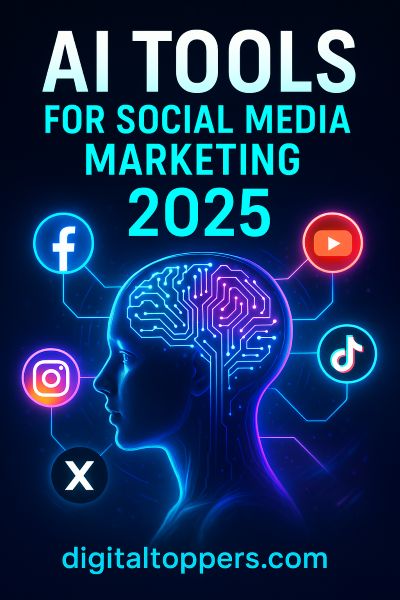
Best AI Tools for Social Media Marketing in 2025

AI Tools for Social Media Marketing 2025 by Digital Toppers, Trichy

Keeping up with social media can feel like running on a treadmill that never stops. From writing posts to responding to comments and analyzing performance—it’s a lot. That’s where Artificial Intelligence (AI) comes in. AI tools are transforming how marketers approach social media, offering smarter, faster, and more efficient ways to connect with audiences, streamline content creation, and grow brands online.

In this blog, we’ll explore what AI means in the context of social media, how it simplifies your workload, and which tools—both free and premium—are worth trying in 2025.

What Is AI in Social Media Marketing?

AI in Digital Channels refers to the use of machine learning, natural language processing (NLP), and data analysis to automate and optimize social media-related tasks. From creating engaging content and scheduling posts at the perfect time to understanding what makes your audience tick—AI takes the guesswork out of marketing.

Rather than relying solely on human intuition or manual effort, AI tools analyze massive datasets in real time to deliver insights, recommendations, and automation that drive better results.

How AI Makes Social Media Work Easier

AI doesn’t just support social media marketers—it transforms their workflows. Here’s how AI changes the game:

1. Content Creation
  • Generate post ideas based on trends and audience interests
  • Write attention-grabbing captions, bios, and ad copy
  • Create visuals, stories, or even entire videos with AI-powered design tools
  • Auto-generate hashtags and emojis relevant to your topic and platform
2. Post Scheduling & Automation
  • Identify when your followers are most active
  • Auto-schedule or instantly publish posts
  • Organize content calendars for multiple platforms
  • Reuse and recycle evergreen content automatically
3. Audience Insights & Analytics
  • Track engagement metrics and content performance
  • Understand follower demographics, interests, and behaviors
  • Identify what content types drive the most shares, comments, or clicks
4. Social Listening
  • Monitor brand mentions, hashtags, and competitor activity
  • Gauge public sentiment (positive, neutral, negative)
  • Discover trends, influencers, and opportunities in real time
5. Customer Support
  • Use AI-powered chatbots to respond to FAQs instantly
  • Route more complex queries to human agents
  • Collect feedback and resolve complaints efficiently
6. Performance Optimization
  • Spot underperforming posts and receive improvement suggestions
  • Learn from high-performing content to refine future strategies
  • Test different formats, times, or tones based on AI recommendations

Effortless Ways to Use AI for Smarter Social Media Marketing

Whether you’re a solopreneur or managing multiple brands, integrating AI can start with just a few simple changes:

  • Copy.ai and Canva Magic Write for generating captions, headlines, and content ideas
  • Sprout Social or Socialbakers to track engagement and audience growth
  • Later, Hootsuite, or Buffer for automated publishing and smart scheduling
  • Mention or Brand24 to monitor what’s being said about your brand online
  • Lately.ai to repurpose blog posts, podcasts, or YouTube videos into multiple social media assets

Free AI Social Media Tools You Can Try Today

You don’t need a big budget to take advantage of AI. These tools offer free or freemium plans that are powerful enough for most small businesses or individual creators:


Tool

Main Features
Canva Magic WriteGenerate post captions, headlines, and copy using AI in Canva
Lumen5Convert blog posts or articles into short-form videos
Copy.ai
Create social captions, tweets, bios, ad copy, and more
Buffer (Free Plan)Schedule up to 10 posts per platform and analyze basic performance
ChatGPTGet content ideas, generate text for campaigns, and draft posts quickly
Pallyy
Basic social media scheduling and reporting with a free plan

AI Tools for Social Media Content Creation

Creating scroll-stopping content is one of the biggest challenges for marketers. These AI tools make it easier:

1. Jasper AI

A powerful AI copywriting tool that helps create engaging content in your brand voice—from Instagram captions to long-form LinkedIn posts.

2. Copy.ai

Known for generating short-form content like product descriptions, social posts, and promotional copy within seconds.

3. Lumen5

Transforms long-form articles, blog posts, or scripts into dynamic, shareable videos using AI-based templates.

4. Canva AI

With AI-powered text generation, image editing, and design suggestions, Canva makes visual content creation easy and fast.

5. Designs.ai

Use AI to create logos, animated videos, and visual branding assets—all customized to your brand style.

AI Tools for Social Media Post Scheduling

Planning and scheduling your content effectively is key to consistency. These AI-powered platforms offer more than just calendars:

1. Buffer

Simple UI, post scheduling, engagement tracking, and smart recommendations for optimal posting times.

2. Later

Visual content planner with drag-and-drop features, hashtag suggestions, and AI-based timing analysis.

3. Hootsuite

A robust platform with team collaboration, analytics, sentiment tracking, and scheduling across all major platforms.

4. SocialBee

Helps organize content into categories, schedule it on a loop, and track performance over time.

5. CoSchedule

Features an AI-powered Headline Analyzer, a visual content calendar, and intelligent auto-posting.

Best AI Social Media Marketing Tools for 2025

Looking for tools that do it all? These comprehensive platforms combine content creation, automation, insights, and strategy:

ToolKey Features
Sprout SocialAdvanced analytics, CRM integration, smart scheduling, and social listening
Jasper AIRobust content creation for blogs, posts, ads, and campaigns
CanvaEnd-to-end visual creation tool with built-in AI for design and text
Lately.aiTurns blogs, videos, and podcasts into dozens of repurposed social posts
BrandwatchAI-powered consumer insights and trend tracking
Predis.aiSuggests post ideas including caption, visuals, and hashtags for Instagram/LinkedIn

Real-World Examples: How Major Brands Use AI on Digital Channels

AI isn’t just for startups. Big brands are seeing massive ROI by using AI to drive strategy, engagement, and innovation:

  • Sephora – AI chatbots recommend products and guide online shoppers through social channels.
  • Netflix – Uses AI to curate personalized trailers and thumbnails tailored to user behavior and promote new releases on social media.
  • Nike – Employs AI to target ads and create personalized offers based on browsing history and engagement.
  • Coca-Cola – Utilizes AI for real-time social listening and launching reactive campaigns.
  • Starbucks – Uses AI to deliver hyper-personalized offers and loyalty messages across social channels.

Final Thoughts:

AI is no longer a futuristic concept—it’s a must-have asset for modern marketers. Whether you’re a content creator, social media manager, or brand strategist, AI helps you:

  • Save time on repetitive tasks
  • Create better content faster
  • Reach the right audience more effectively
  • Grow your brand without burnout

Start simple: try a few free AI tools, analyze what works, and expand as you gain confidence. As 2025 unfolds, AI won’t just give you a competitive edge—it will be essential for staying relevant and efficient in a crowded digital space.

Also Read: How to Increase Your Instagram Followers Organically in 2025

Best AI Tools for Social Media Marketing in 2025 Read More »

Best Tools to Find Instagram Trending Songs in 2025

Best Tools to find Insta Trending Songs 2025 by Digital Toppers

In 2025, Instagram Reels continue to dominate the short-form content space. Whether you’re a digital marketer, influencer, or casual creator, using trending Reels audio can dramatically increase your chances of going viral. The Instagram algorithm favors Reels with rising or popular audio tracks—making the right music not just a creative choice, but a strategic one.

In this detailed blog, you’ll discover the best free and paid tools to find trending Instagram Reels songs, including AI-powered platforms and trend discovery hacks to give you an edge.

Why Finding Trending Instagram Songs Matters

Instagram’s Reels algorithm boosts videos that align with active engagement signals—including the use of trending music. By identifying and using the right audio early, you can:

  • Appear more frequently on the Explore and Reels feed
  • Reach a broader audience
  • Get more likes, shares, and saves
  • Accelerate follower growth
  • Improve watch time and completion rate

Trend timing is everything. If you’re among the first to use a rising track, your content stands a better chance of taking off.

Top Free & Paid Tools to Discover Insta Trending Audio

1. Instagram Reels (In-App) – Free

Best for: Beginners and quick research

The most immediate way to find trending audio is within the Instagram app itself.

Features:

  • Look for the upward arrow on audio tracks—it signals a trend
  • Tap on trending sounds to view usage statistics
  • Save and use directly in your Reels editor

Tip: Spend 10 minutes daily browsing Reels to spot recurring music patterns.

2. Tokboard – Paid

Best for: Influencers and data-driven marketers

Originally a TikTok tool, Tokboard now supports Instagram Reels trend tracking.

Features:

  • Daily trending music charts with viral score metrics
  • Predictive analytics for future trending audio
  • Search filters by genre and performance trends

Ideal for content calendars and creators who want data-first decision-making.

3. Trendpop – Paid

Best for: Brands and agencies managing multiple accounts

Trendpop is widely used by social media teams for high-level trend monitoring.

Features:

  • Track trending Reels audio by niche, region, and engagement rate
  • Analyze performance across thousands of creators
  • Access historical trend data to spot patterns

Great for building localized and niche-specific Reels strategies.

4. Shazam – Free

Best for: Identifying unknown music in Reels or Stories

When you hear a catchy song but don’t know its name, Shazam helps instantly.

Features:

  • Detects music from any video or environment
  • Shows real-time music popularity trends
  • Connects directly to Spotify, Apple Music, etc.

Great for discovering under-the-radar sounds with viral potential.

5. TikTok Creative Center – Free

Best for: Getting ahead of Instagram trends

Since many audio trends start on TikTok, the Creative Center is a goldmine for early signals.

Features:

  • Explore trending songs by country, category, or industry
  • Real-time sound rankings and usage trends
  • Insights into hashtag performance

Use this tool to spot audio before it crosses over to Instagram.

Best AI Tools for Predicting Insta Music Trends

6. Sound.me – Free & Paid

Best for: Trend-aware creators and music marketers

Sound.me uses AI to analyze and predict music trends across platforms.

Features:

  • Early alerts on artist-backed or viral songs
  • Recommends sounds based on platform-specific behavior
  • Helps automate song discovery for Instagram, TikTok, and more

Excellent for cross-platform trend tracking.

7. Chartmetric – Freemium

Best for: Industry analysts and advanced influencers

Chartmetric is a data-rich analytics suite for music and influencer marketing.

Features:

  • Tracks song popularity on Instagram, TikTok, Spotify, and YouTube
  • Offers AI-powered forecasting
  • Supports artist tracking, playlist placements, and virality scores

8. Soundcharts – Paid

Best for: Labels and advanced marketers

Soundcharts provides real-time music intelligence across digital channels.

Features:

  • Monitors social performance of songs across Reels, TikTok, and more
  • Analyzes the impact of influencer content on music trends
  • Alerts for fast-rising audio

Ideal for professionals who need comprehensive market oversight.

9. ReelTrends App – Free & Paid

Best for: Mobile-first influencers and creators

Designed for both TikTok and Instagram, the ReelTrends app offers up-to-the-minute trend insights.

Features:

  • Filter trending sounds by genre, region, or engagement
  • Daily updates to keep you ahead
  • Personalized trend recommendations

A must-have for creators who prefer on-the-go content planning.

10. InVideo / Pictory.ai – Free & Paid

Best for: Automated video editing with smart audio pairing

These AI video editors help creators combine trending music with high-performing visuals.

Features:

  • Recommends music based on video style or topic
  • Syncs visuals to trending sounds automatically
  • Exports videos formatted for Instagram Reels and other platforms

Perfect for creators who want to streamline content production with AI.

11. Spotify Viral Charts – Free

Where to find: Spotify → Browse → Charts → Viral 50

Why it’s powerful: Many songs that hit the Spotify Viral 50 eventually show up on Reels and TikTok. These charts help you identify songs gaining momentum globally.

Pro Tip: Scan Spotify’s charts daily to stay one step ahead of Instagram trends.

12. Reels Trend Trackers & Newsletters – Free

Where to follow:

Why it’s useful:
These accounts and newsletters post daily/weekly audio trend updates, including insights into hashtags, video styles, and creator tips.Ideal for creators who want curated trend reports without spending hours researching.

Final Thoughts

In the fast-paced world of Instagram Reels, music can be the difference between visibility and virality. Whether you’re a solo content creator or managing multiple client accounts, using trending audio strategically will keep your content competitive and engaging.

To recap:

  • Use free tools like Instagram’s in-app audio browser, TikTok Creative Center, and Spotify Viral Charts for fast inspiration.
  • Invest in premium platforms like Tokboard, Trendpop, and Chartmetric for deeper insights and forecasts.
  • Stay updated with trend newsletters and social tracker accounts to react quickly to new trends.

Start small, test consistently, and keep optimizing your audio choices—and your Reels will start working harder for you.

Also Read: How to Make Instagram Reels Go Viral in 2025: Real Strategies That Work

Best Tools to Find Instagram Trending Songs in 2025 Read More »

Scroll to Top